Turn lectures, study materials, notes, and uploaded files into study guides, quizzes, summaries, weak-area plans, and guided tutoring support.
Watch CaptureClass in action
CaptureClass: From Lectures to a Study Plan
Watch the CaptureClass student workflow: organize courses, capture lectures and notes, ask SAM, plan revision, study together, and explore career paths.
4:24
Organize course material and capture lectures or quick notes.
Use SAM tutoring, revision planning, and Teach It Back.
See Study Together and career discovery in the student workflow.
See CaptureClass Study Together turn a recorded group study session into a recap, decisions, open questions, shared course material, and a follow-up calendar event.
1:15
Keep the group's discussion and recording together.
Review the recap, decisions, open questions, and speaker labels.
Share the session with courses and schedule the next meeting.
CaptureClass is a student study app that brings lecture recordings, notes, course material, SAM tutoring, revision planning, and group study into one workflow. The videos below show how these tools work together.
Availability
Download CaptureClass from the Apple App Store.
The screenshots were supplied by DataCaptureLabs and show example course, study, calendar, and career-discovery content inside the current product.
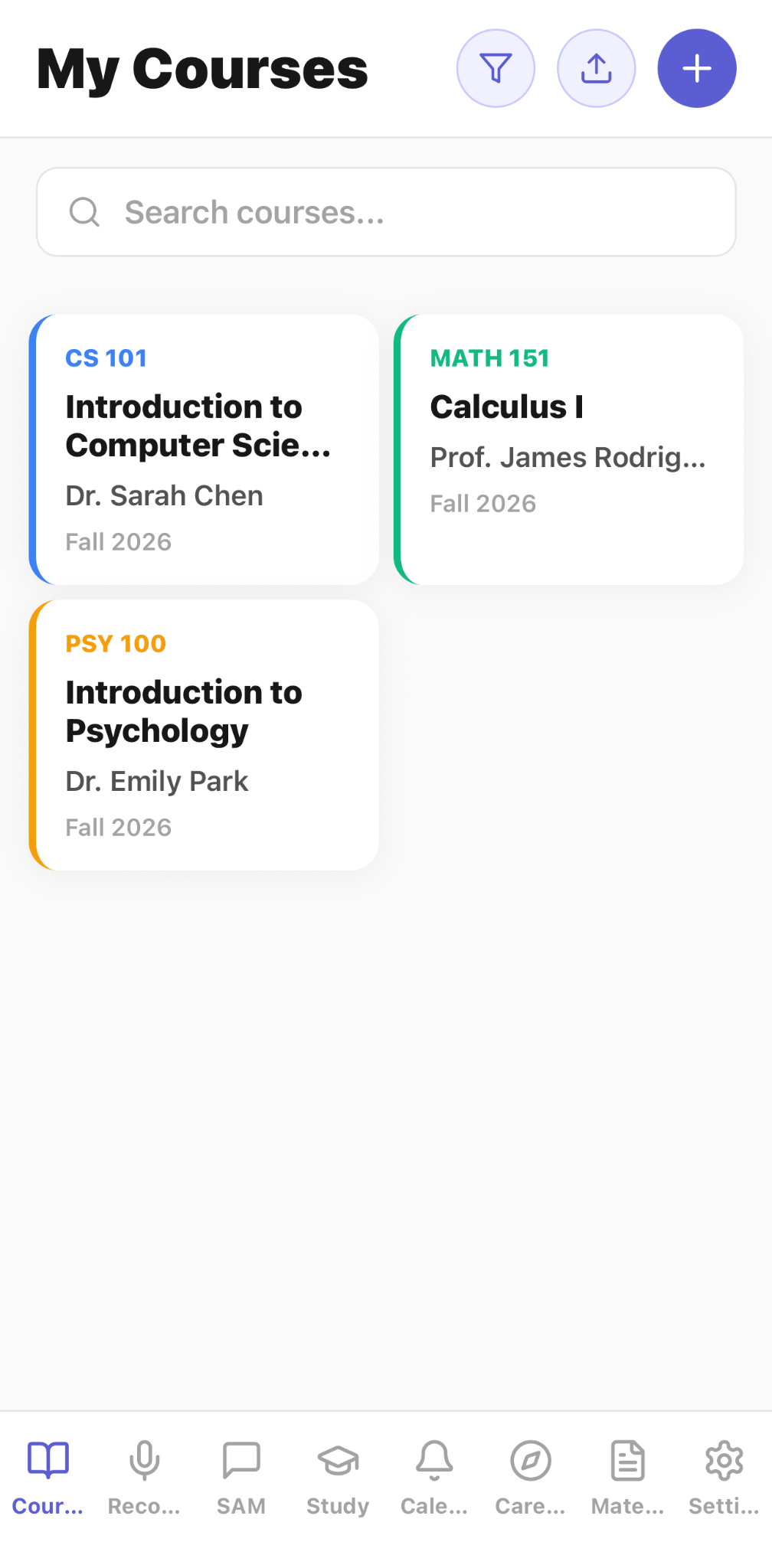
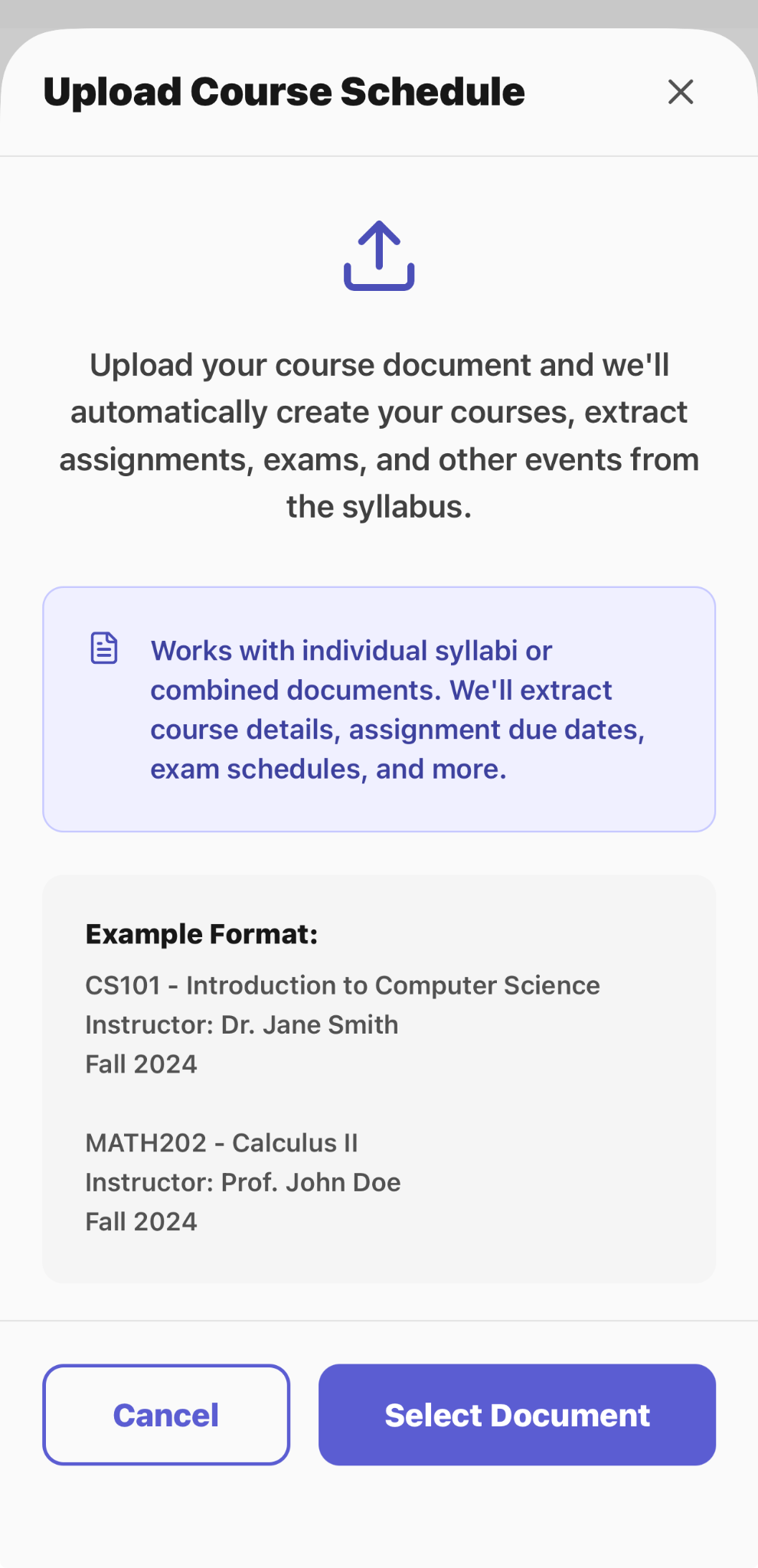
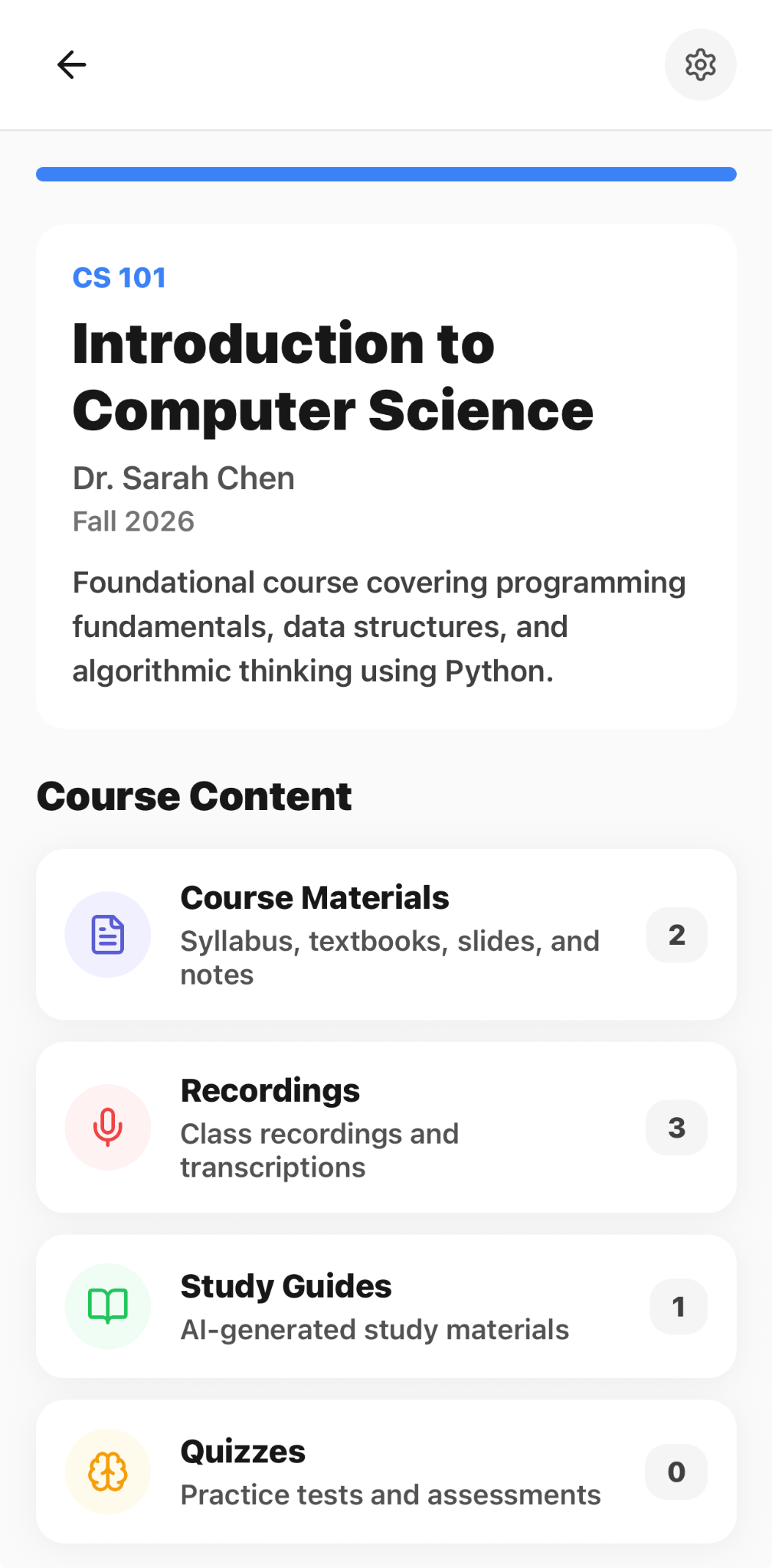
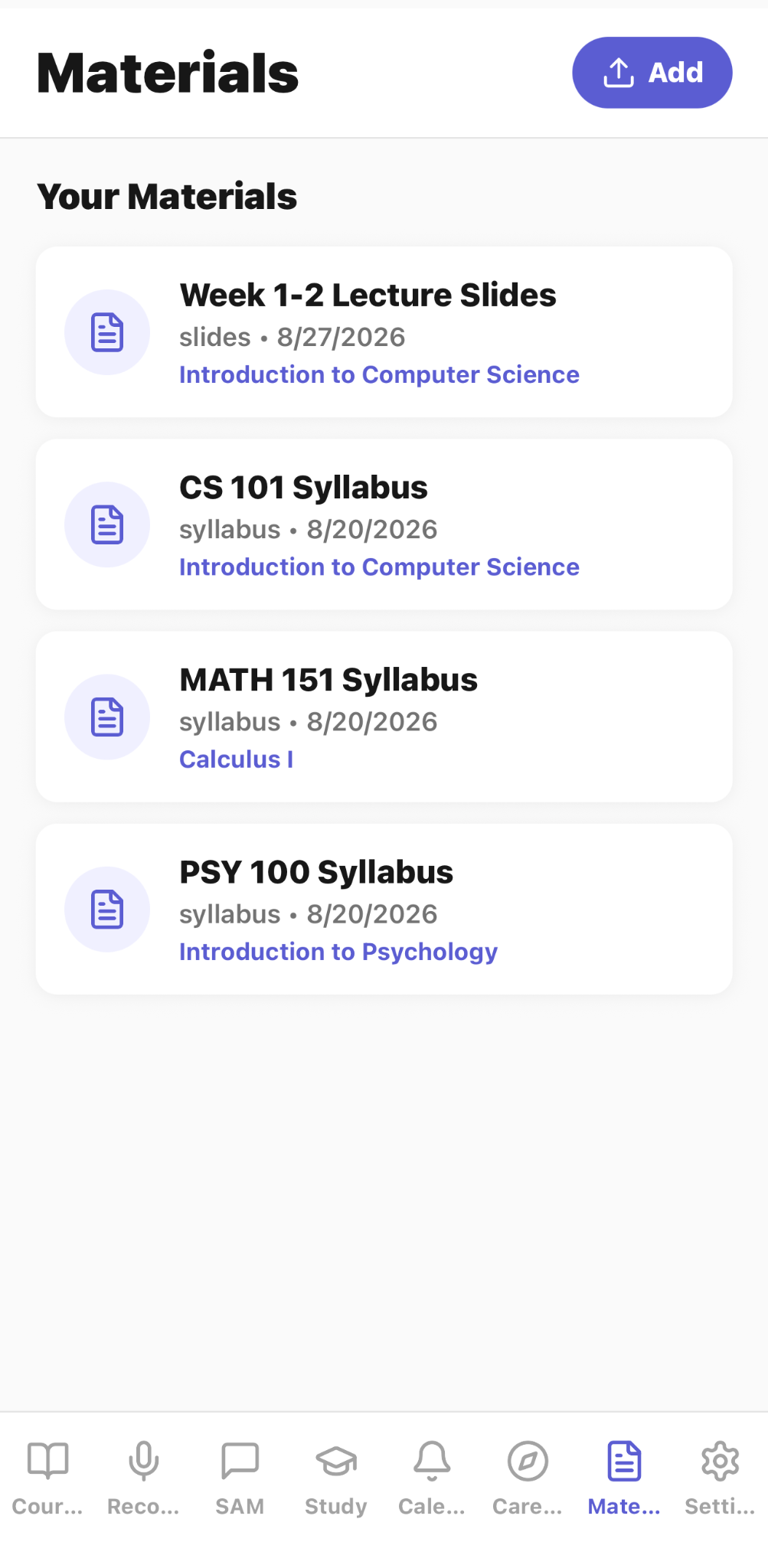
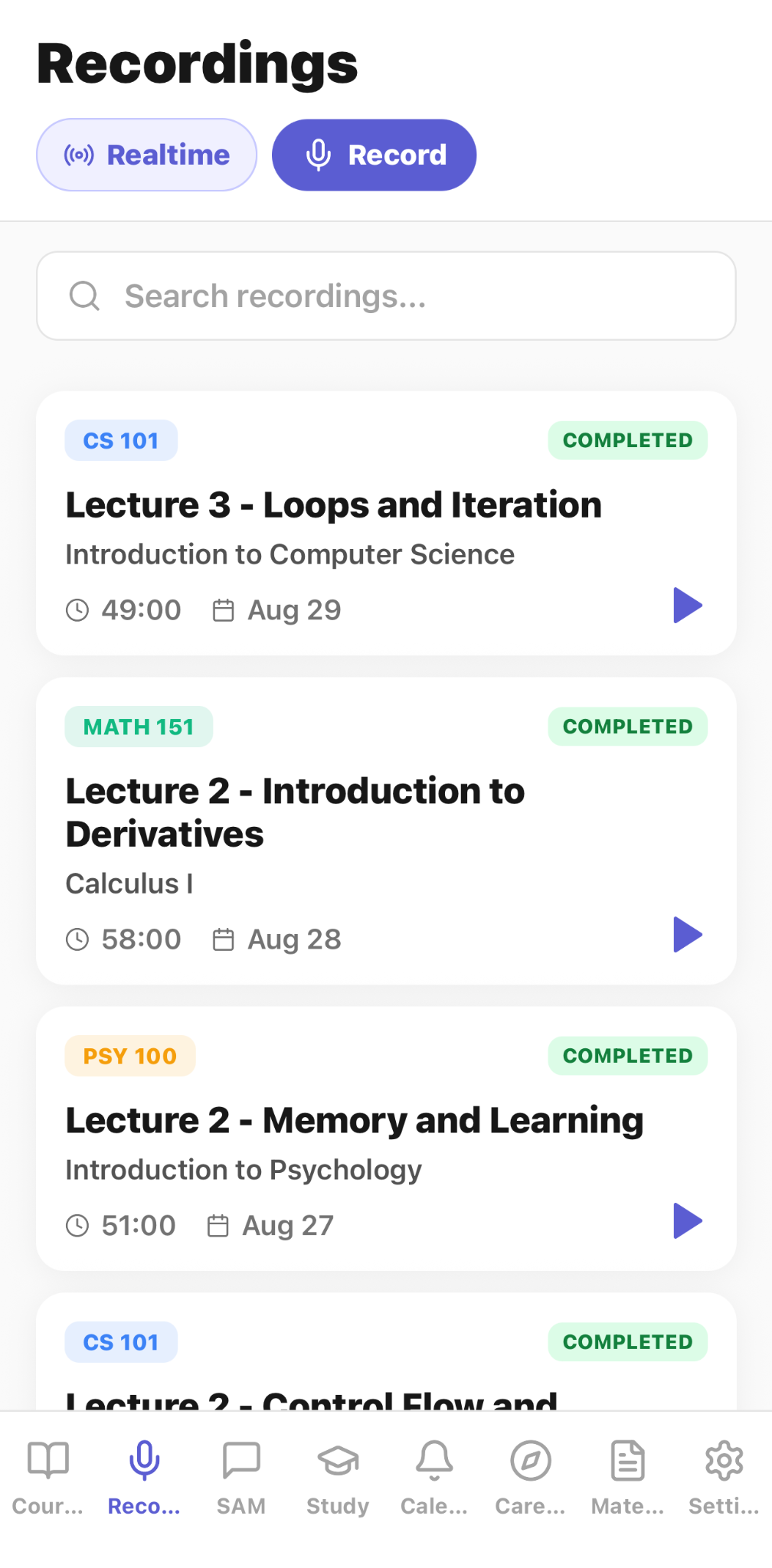
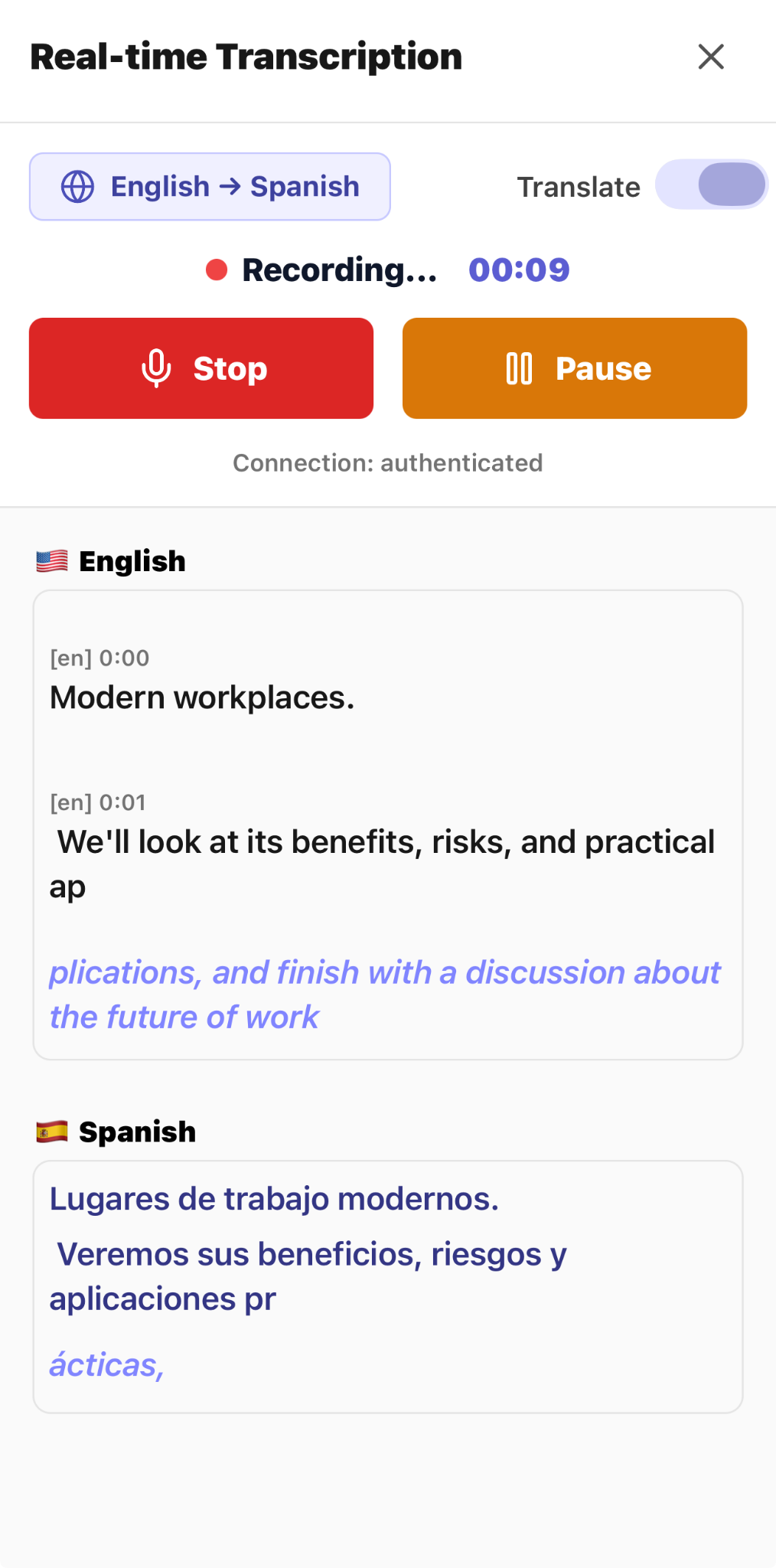
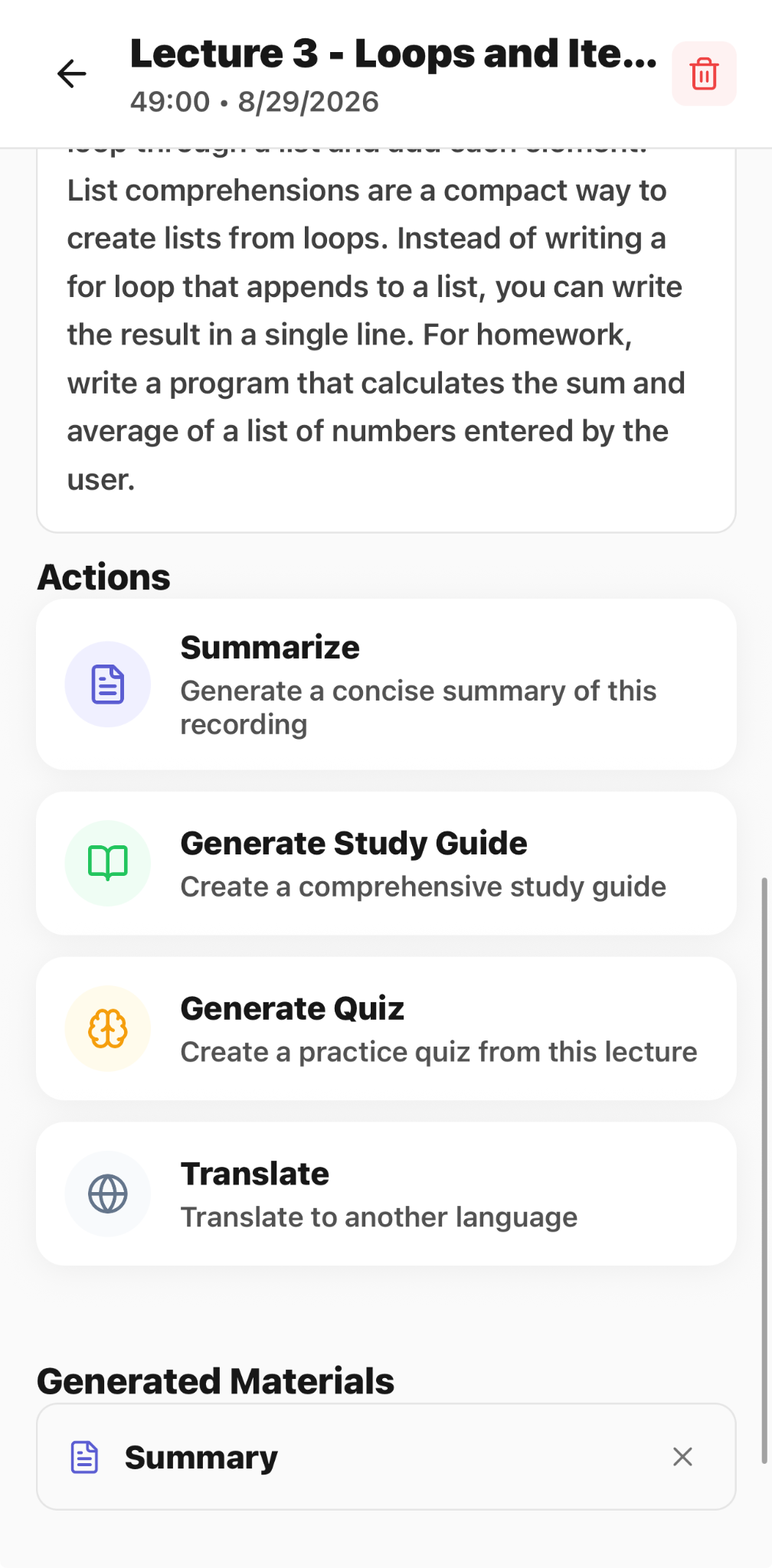
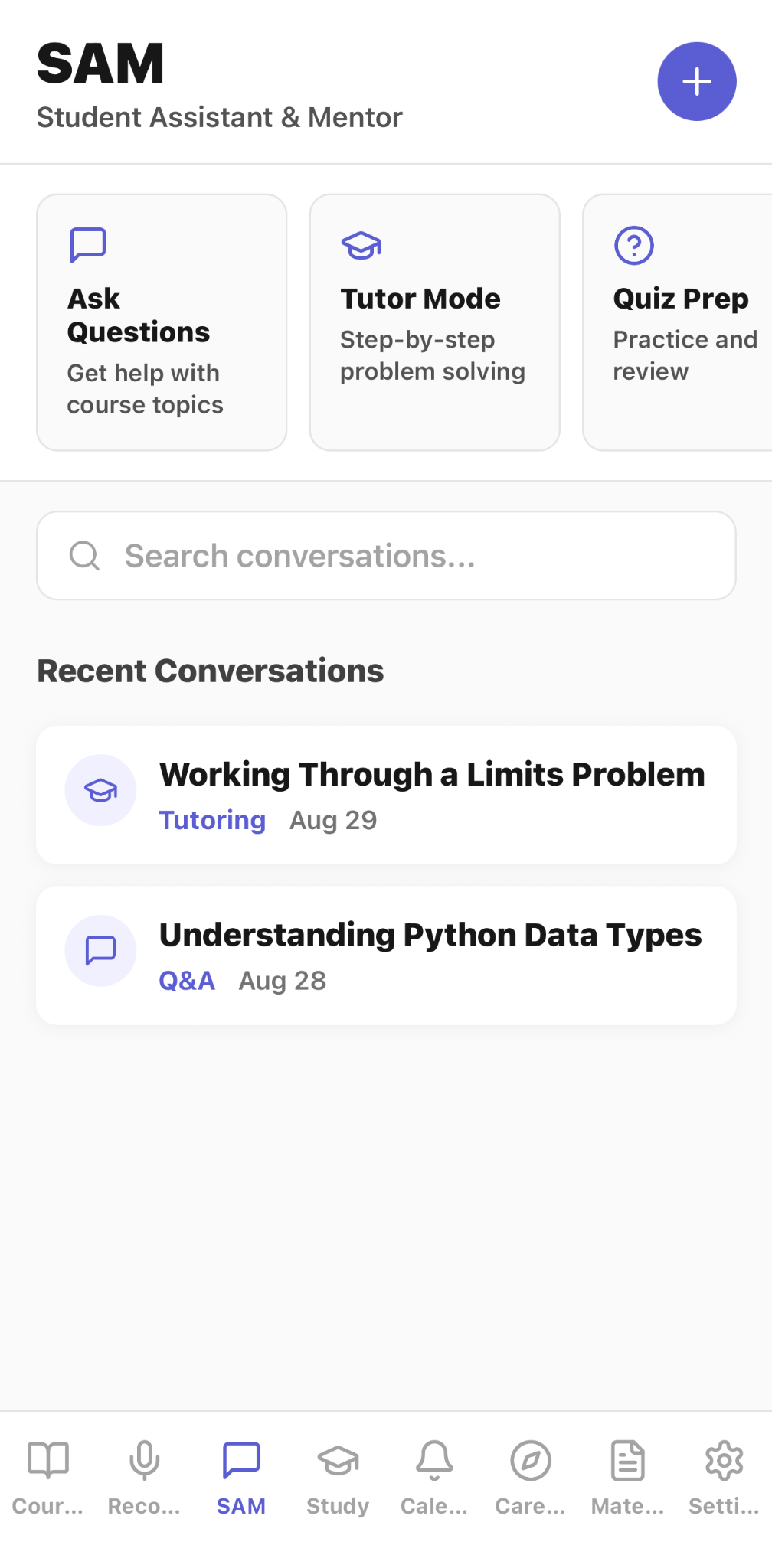
Current CaptureClass screens show course organization, content import, recordings, real-time transcription, generated study materials, SAM tutoring, study planning, academic calendar tools, and career discovery.
Organize example courses and open the material, recording, and study workflows for each class.
Import an individual syllabus or a combined course document to create courses, events, and course details.
Open a course workspace that brings materials, recordings, study guides, and quizzes together.
Browse course-linked slides and syllabi in the materials library.
Search and play completed lecture recordings or begin a new recording or real-time session.
Follow live English transcription alongside an optional Spanish translation.
Review lecture text and create a summary, study guide, quiz, or translation.
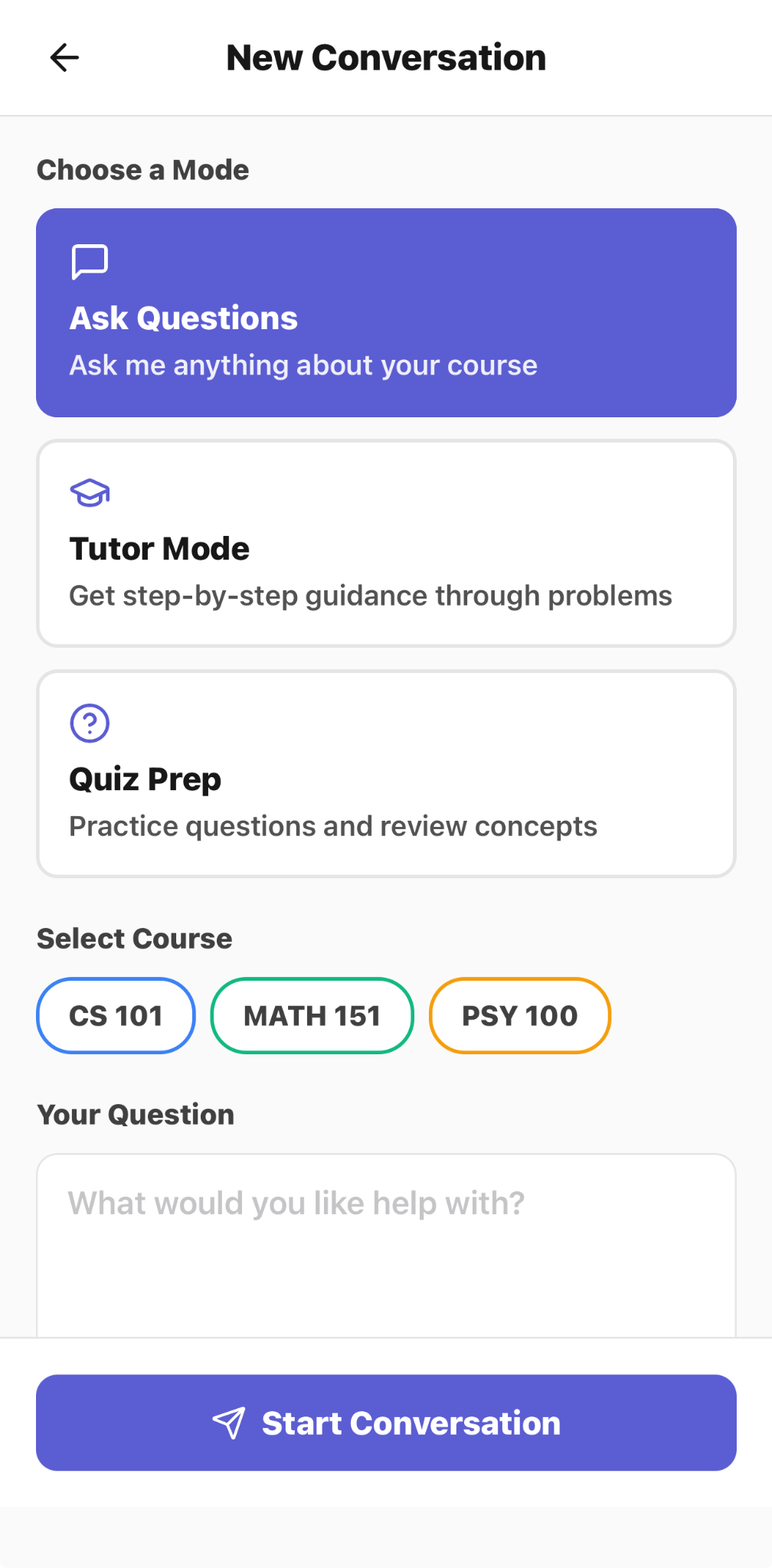
Open SAM to ask questions, enter tutor mode, or prepare with guided quizzes.
Choose a course and start an ask-questions, tutor, or quiz-preparation conversation.
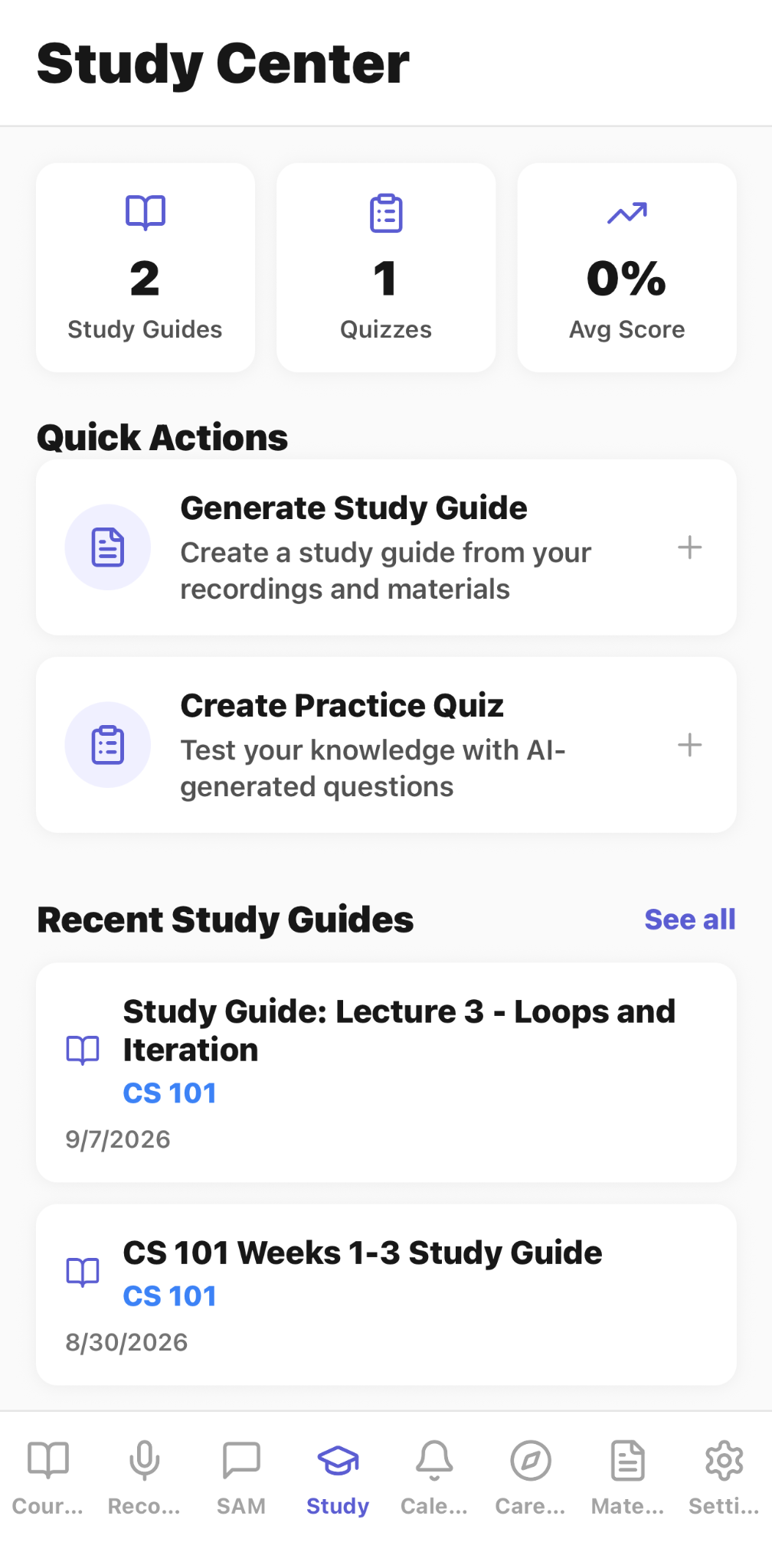
Review study-guide and quiz activity, scores, and quick study actions from one center.
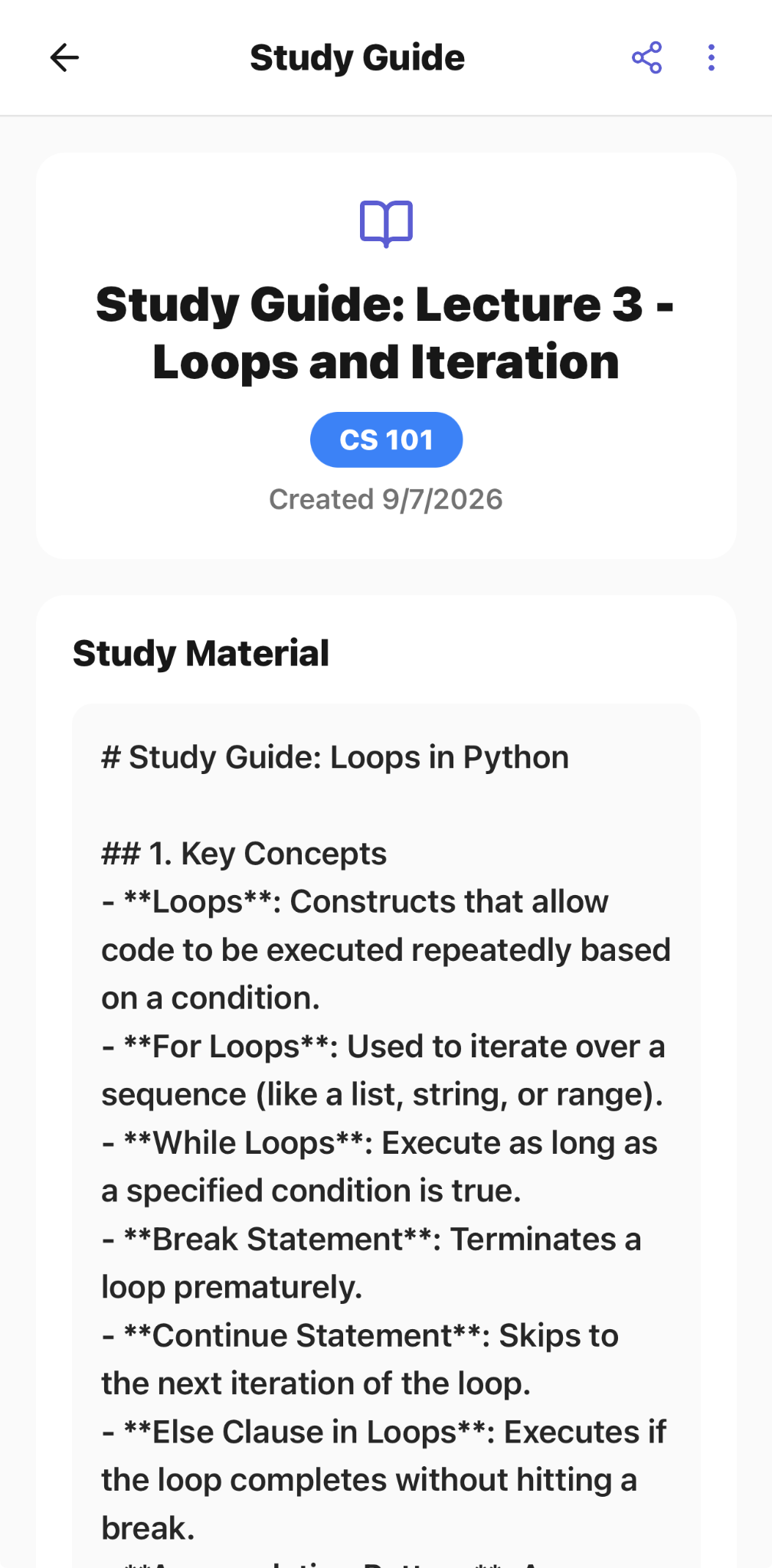
Read a generated study guide organized from the source lecture material.
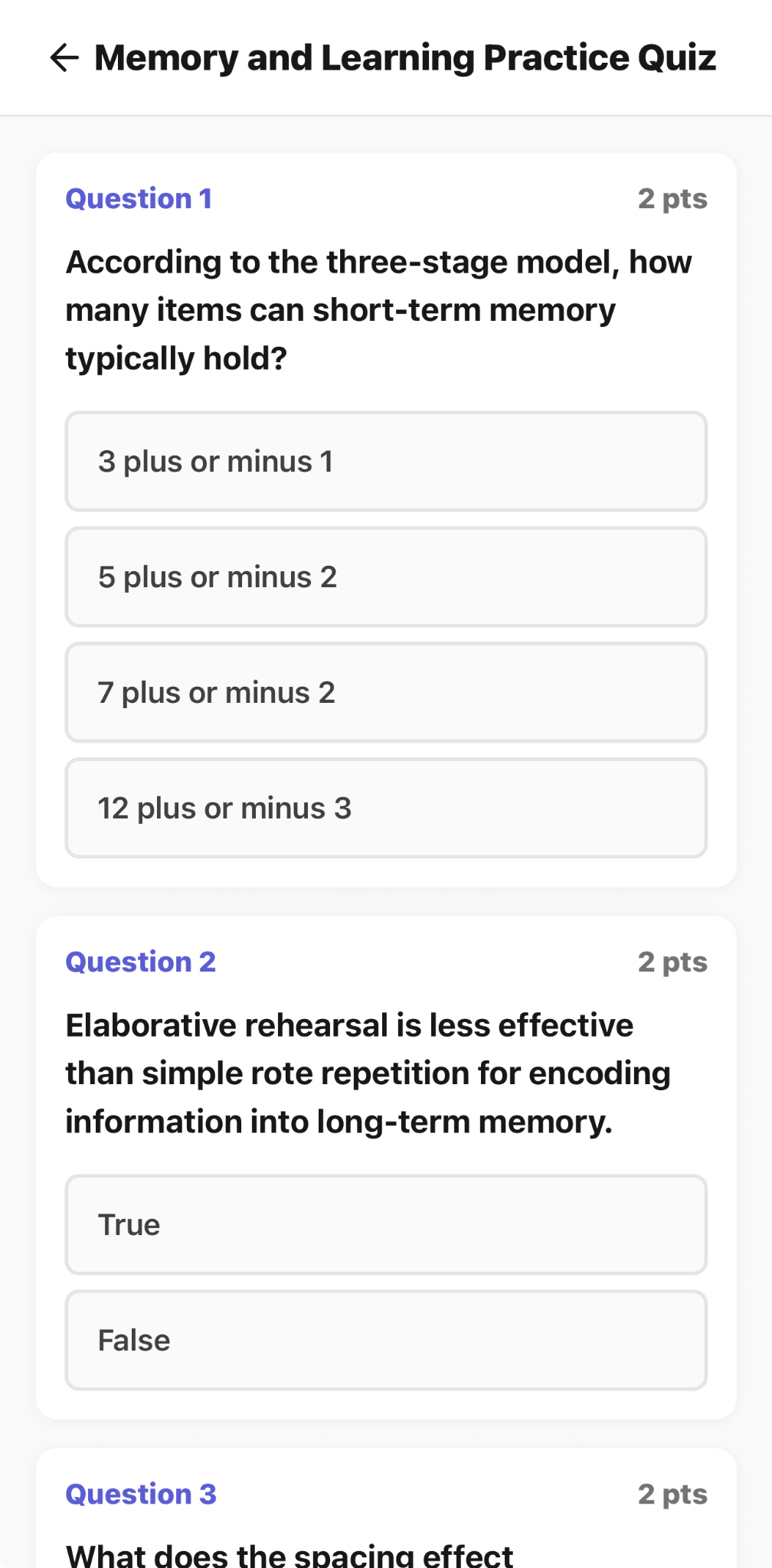
Practice with generated multiple-choice and true-or-false questions based on course material.
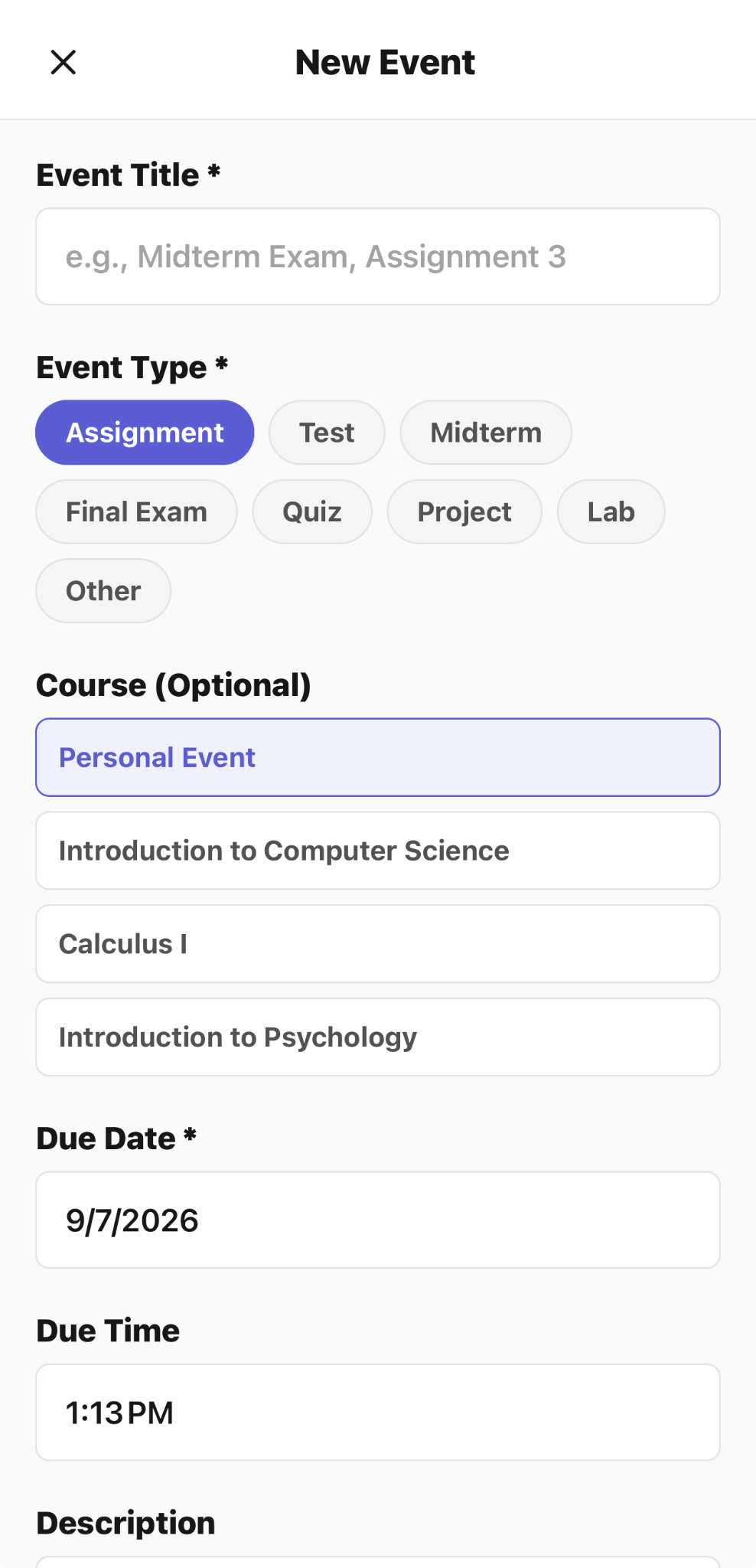
Add assignments, tests, exams, quizzes, projects, labs, or personal events to the academic calendar.
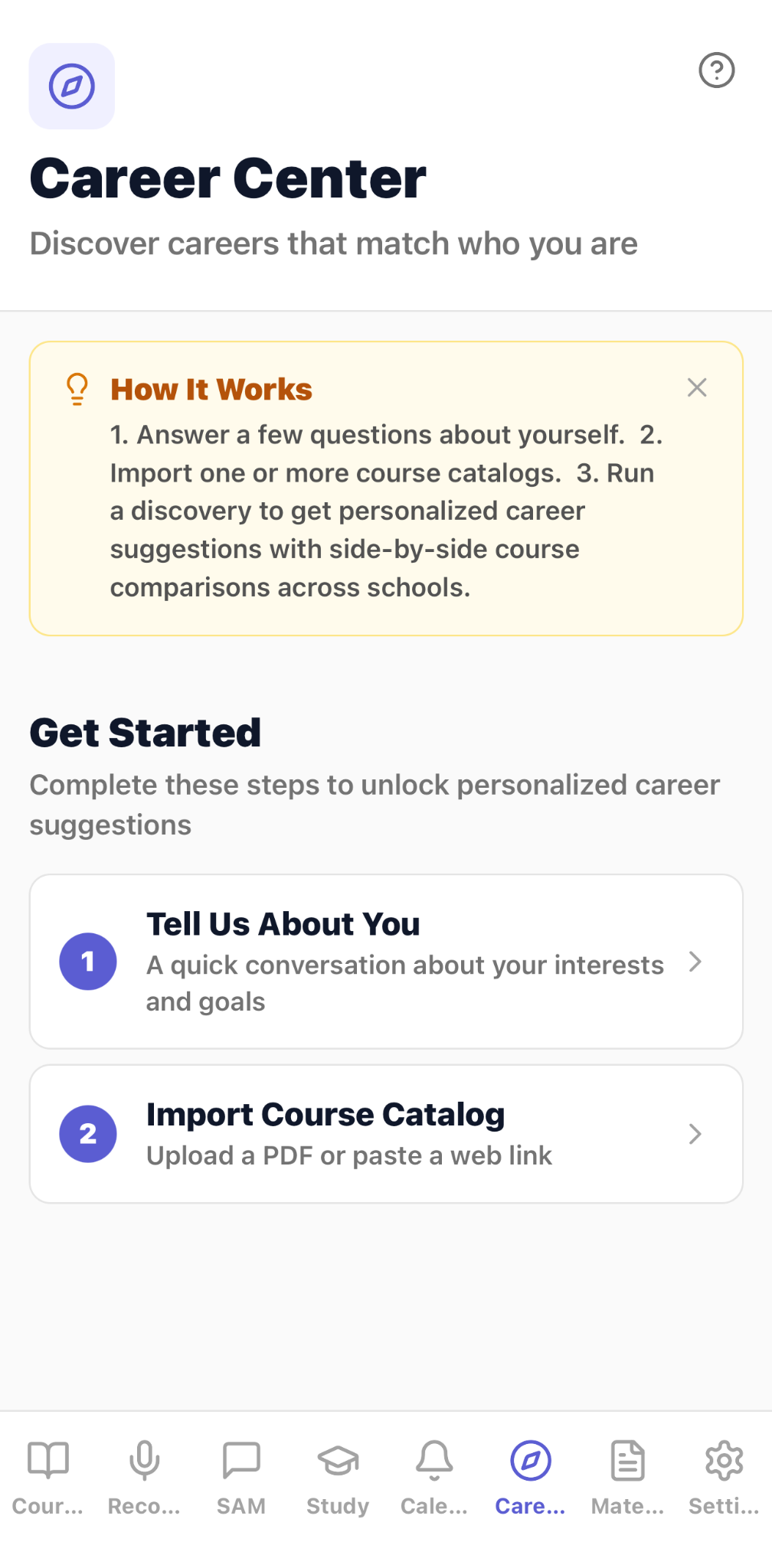
Begin career discovery by describing interests and importing course catalogs for comparison.
Capture lectures and study material
Bring lectures, notes, study materials, and uploaded files into one learning workflow.
Create study-ready outputs
Transform the source material into study guides, summaries, and quizzes.
Focus on weak areas
Use weak-area plans to organize where additional revision is needed.
Use guided tutoring support
Work with SAM for guided tutoring support within the CaptureClass experience.
Study with your group
Study Together keeps a group study recording with its transcript and recap. Review decisions, open questions, and next steps, link the session to course material, and add the next meeting to the group’s calendars.
Plan revision and explore career paths
Use the daily plan and academic calendar to organize revision. The walkthrough also shows Teach It Back for explaining a topic in your own words and career discovery for exploring interests and course choices.
Workflow
Capture
Record a lecture or add notes, study materials, and supported files.
Transform
Create study guides, quizzes, summaries, and weak-area plans.
Study
Review the generated material and use SAM for guided tutoring support.
Common use cases
lecture notes
study guides
quizzes
summaries
weak-area plans
guided tutoring
Limitations and validation requirements
AI-generated educational content may be incomplete or inaccurate and should be reviewed against course materials.
Frequently asked questions
What is CaptureClass designed for?
CaptureClass is designed for education, lecture capture, and study-preparation workflows.
What inputs can be used?
The workflow can use lectures, study materials, notes, and uploaded files.
What can CaptureClass create?
Outputs include study guides, quizzes, summaries, and weak-area plans.
Where can I download CaptureClass?
CaptureClass is available through the Apple App Store link on this page.
What is Study Together in CaptureClass?
Study Together is the group study workflow shown in the second video. It brings a session recording, transcript, recap, decisions, open questions, course sharing, and next-session scheduling together.
What do the CaptureClass videos show?
The full walkthrough shows course setup, lecture and note capture, SAM tutoring, study planning, Teach It Back, group study, and career discovery. The shorter Study Together video focuses on recording and following up on a group study session.