CaptureAdvisors

Turn client meetings into structured notes, action items, recap letters, follow-up checklists, and scenario-ready planning support.

CaptureAdvisors app

CaptureAdvisors is built for financial-advisory meeting documentation, with FINEAS providing workflow-specific AI assistance.

Availability

Download CaptureAdvisors from the Apple App Store or Google Play.

View official Apple App Store listing View official Google Play listing

See CaptureAdvisors in action

Current CaptureAdvisors screens show meeting capture, optional meeting details, real-time translation, recording review, file upload, Advisor AI, FINEAS planning support, and user-managed privacy controls.

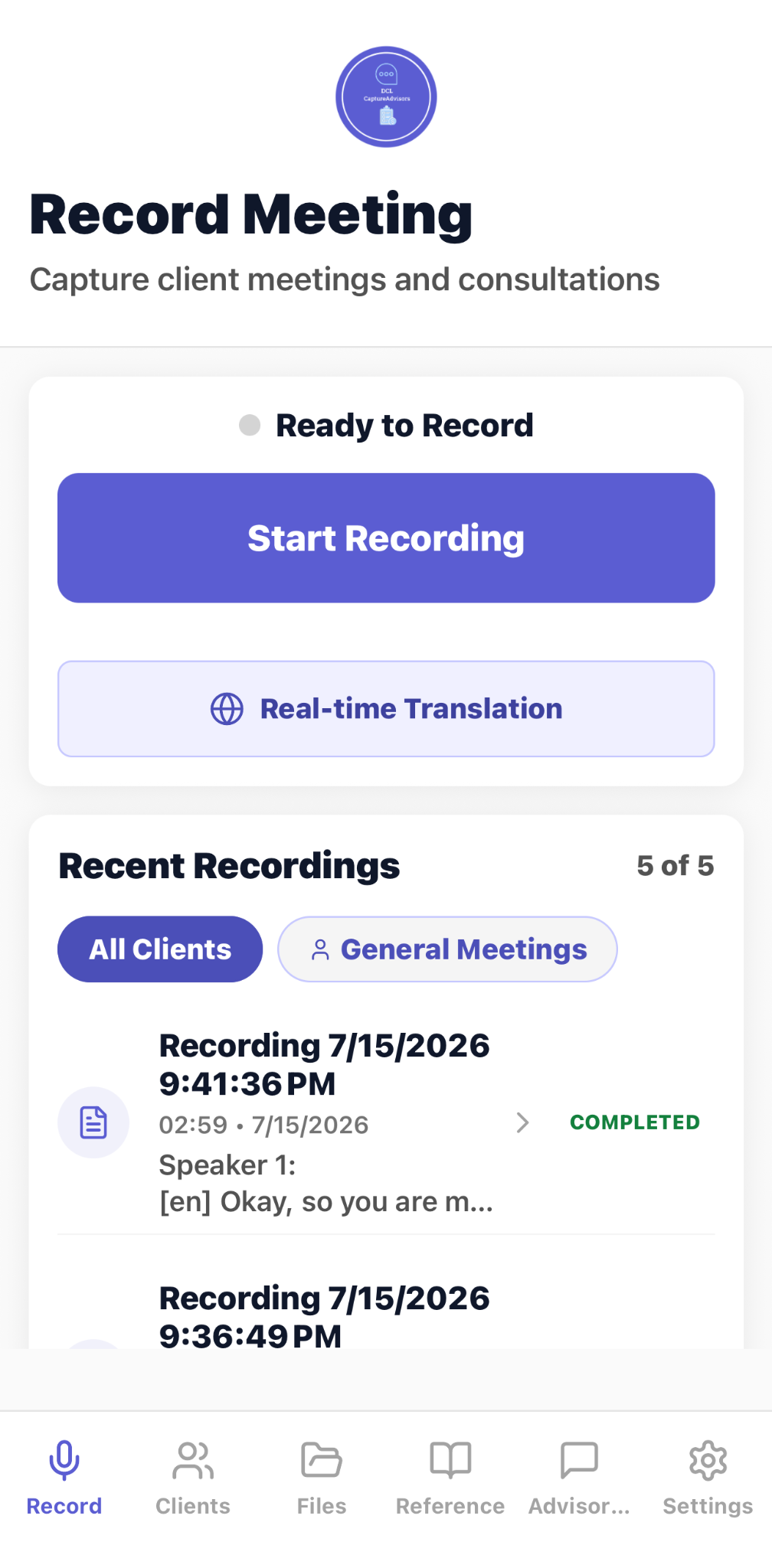
CaptureAdvisors Record Meeting dashboard with Start Recording, real-time translation, and recent recordings
Start a client-meeting recording, open real-time translation, and review recent recordings from one dashboard.
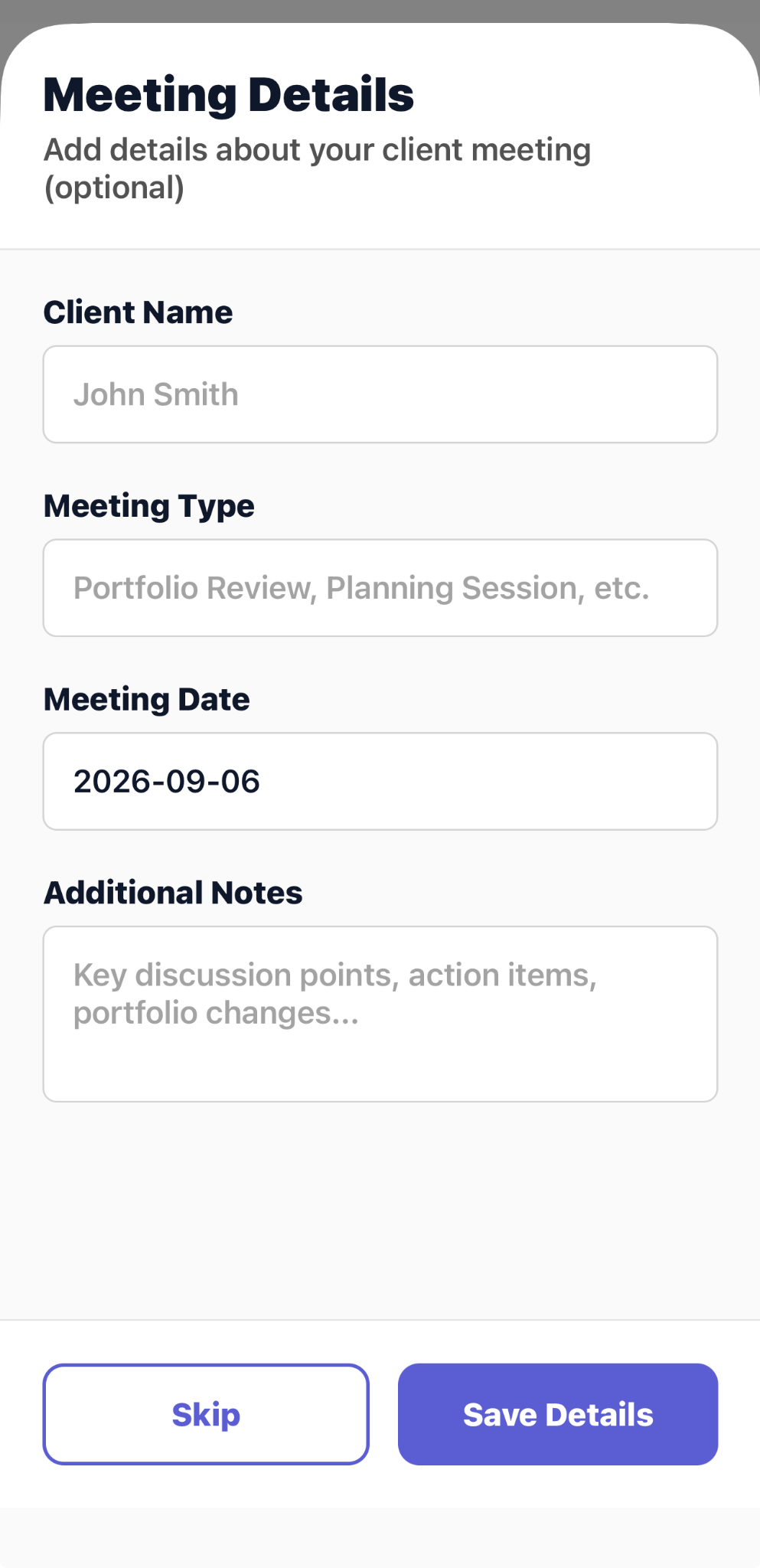
CaptureAdvisors Meeting Details screen with client name, meeting type, date, and additional notes
Add optional meeting context before processing the recording; the displayed client is a synthetic demo account.
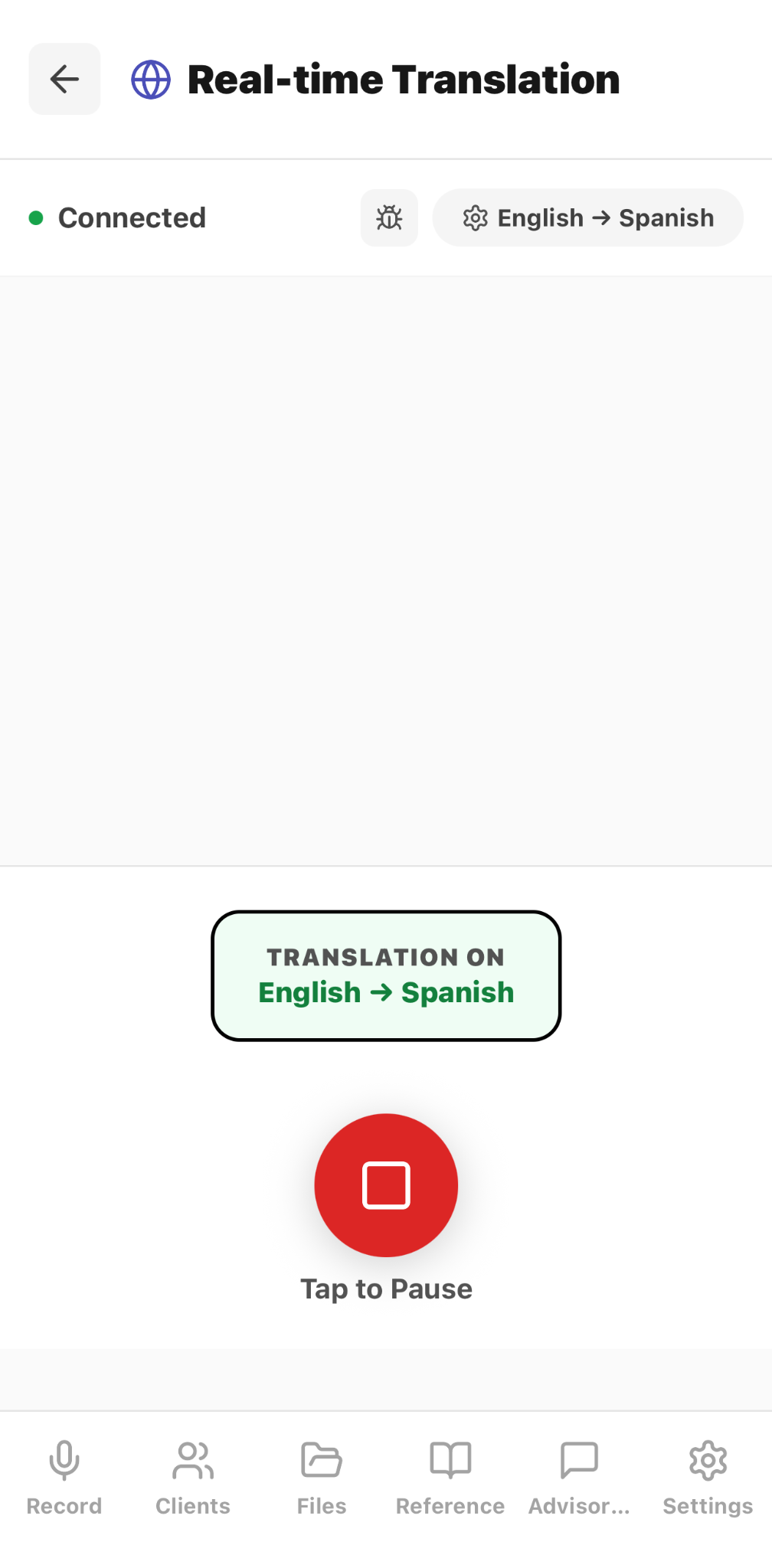
CaptureAdvisors Real-time Translation screen showing an English to Spanish session
Run a connected real-time translation session and pause it from the recording workflow.
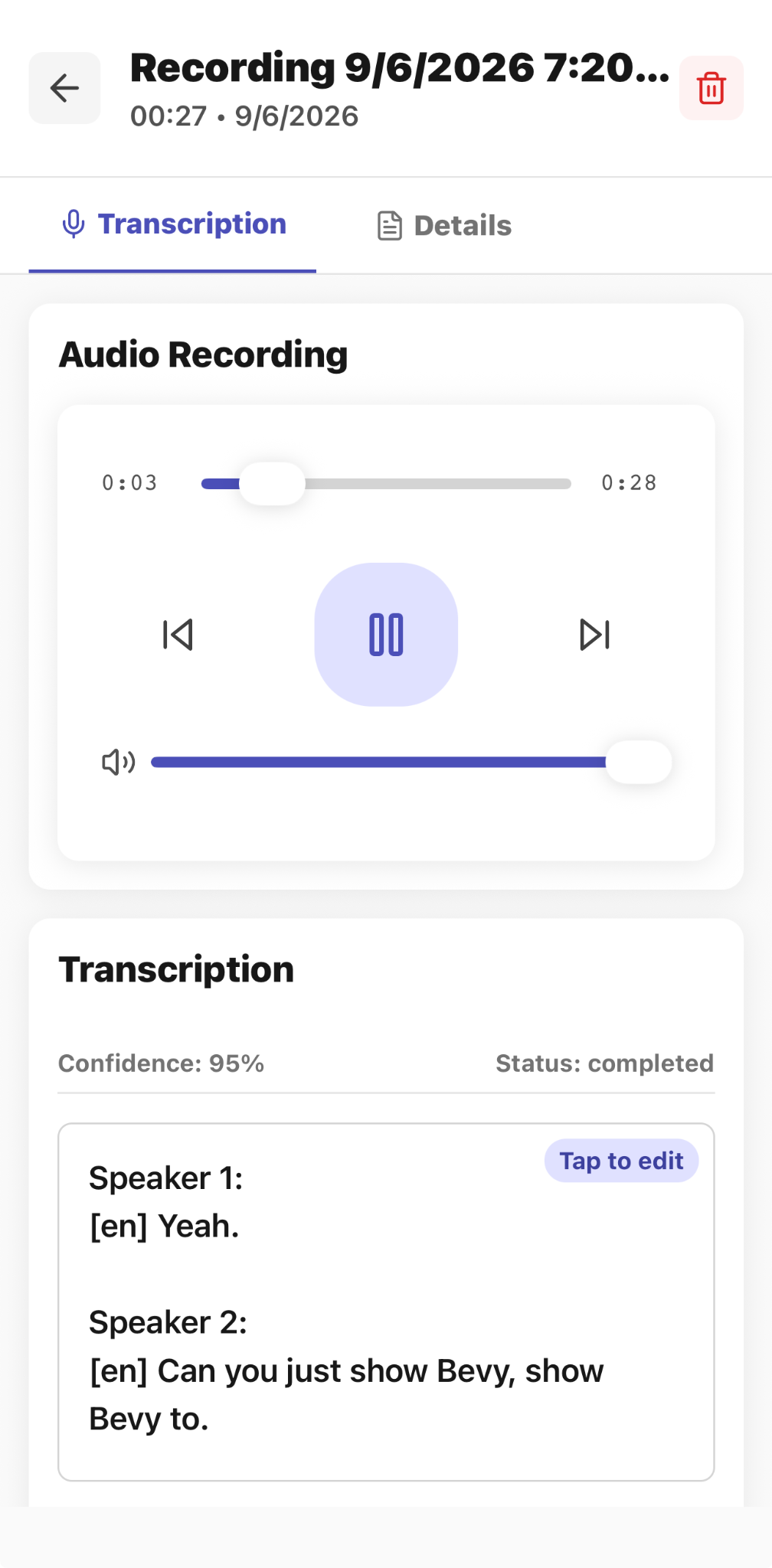
CaptureAdvisors recording review with audio playback and completed editable transcription
Play the source audio and review or edit a completed transcription.
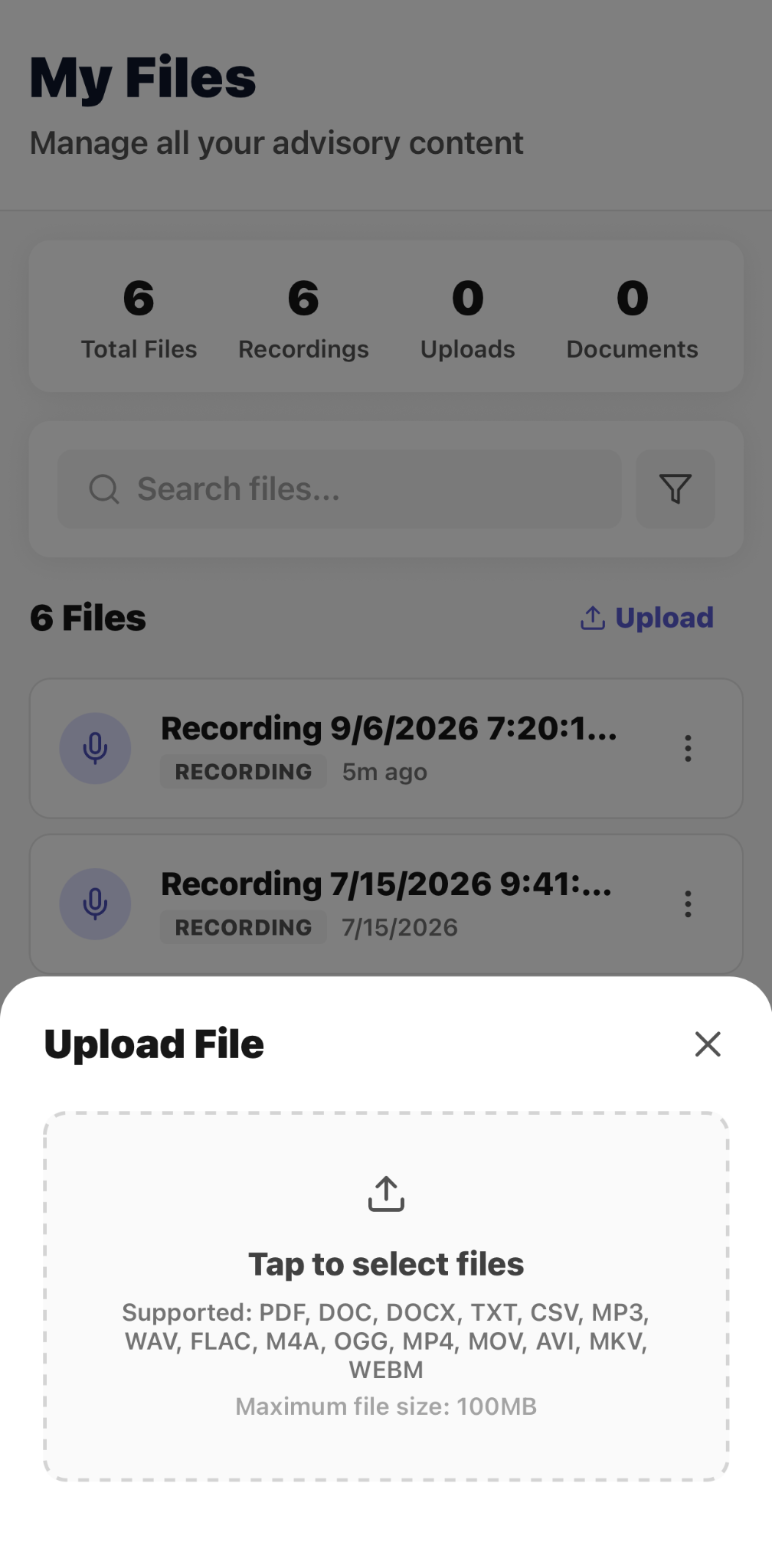
CaptureAdvisors Upload File panel listing supported document, audio, video, and image formats
Add supported documents, audio, video, and images to the advisory content workspace.
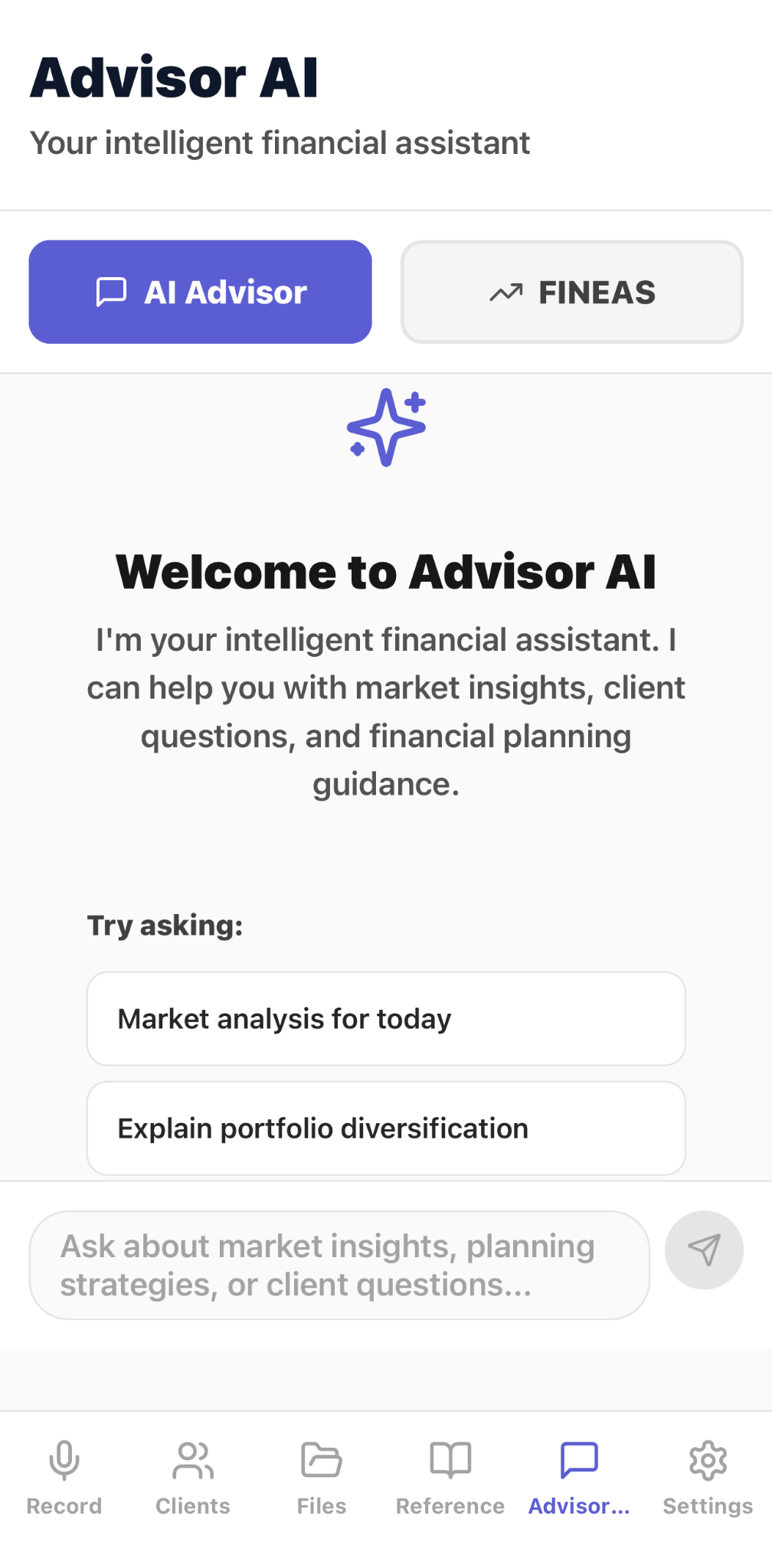
CaptureAdvisors Advisor AI welcome screen with AI Advisor and FINEAS tabs
Open Advisor AI for market insights, client questions, and financial-planning guidance, subject to user review.
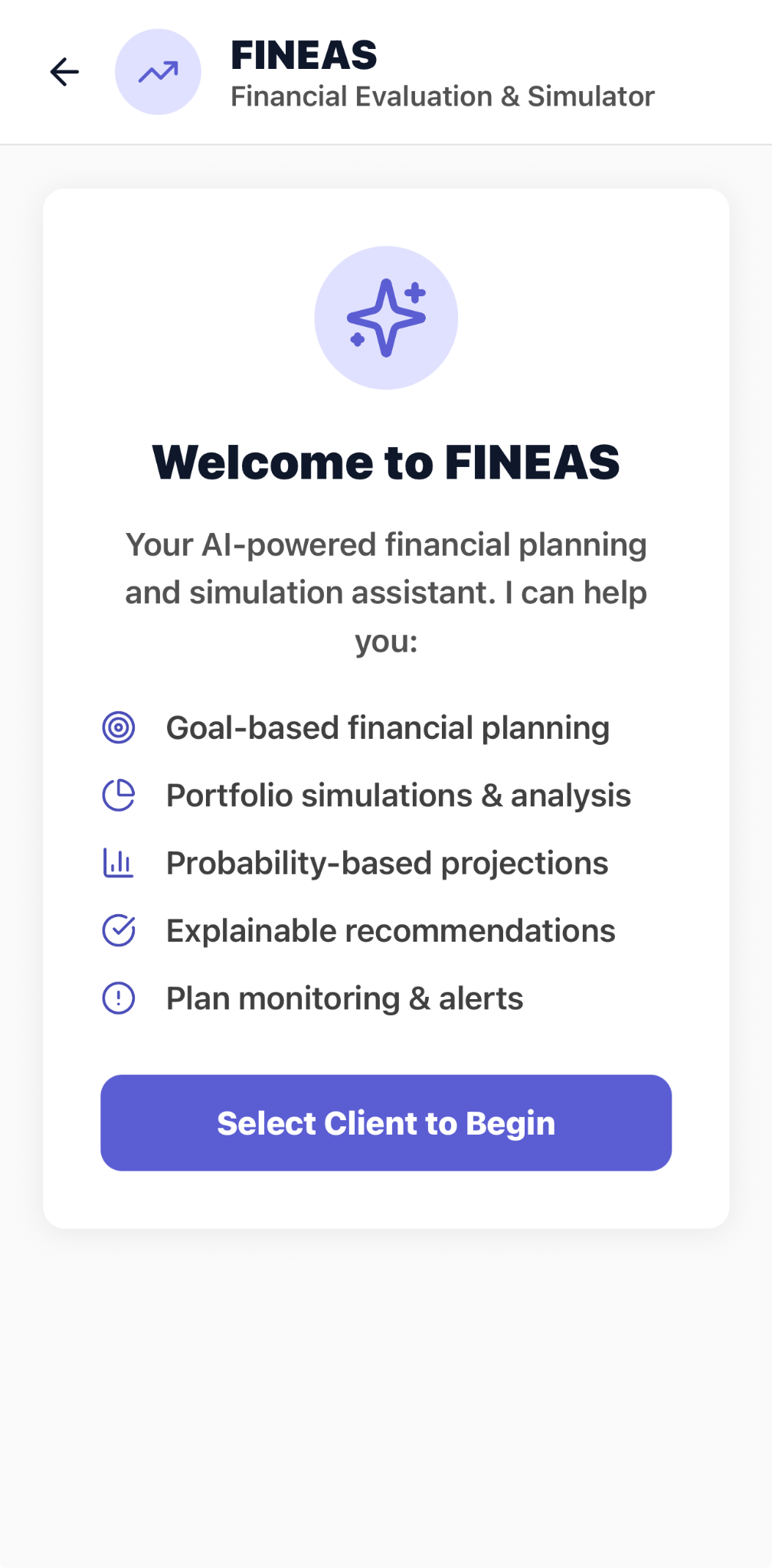
CaptureAdvisors FINEAS overview listing planning, simulation, projections, recommendations, and monitoring
Review the in-app FINEAS overview before selecting a client to begin a planning workflow.
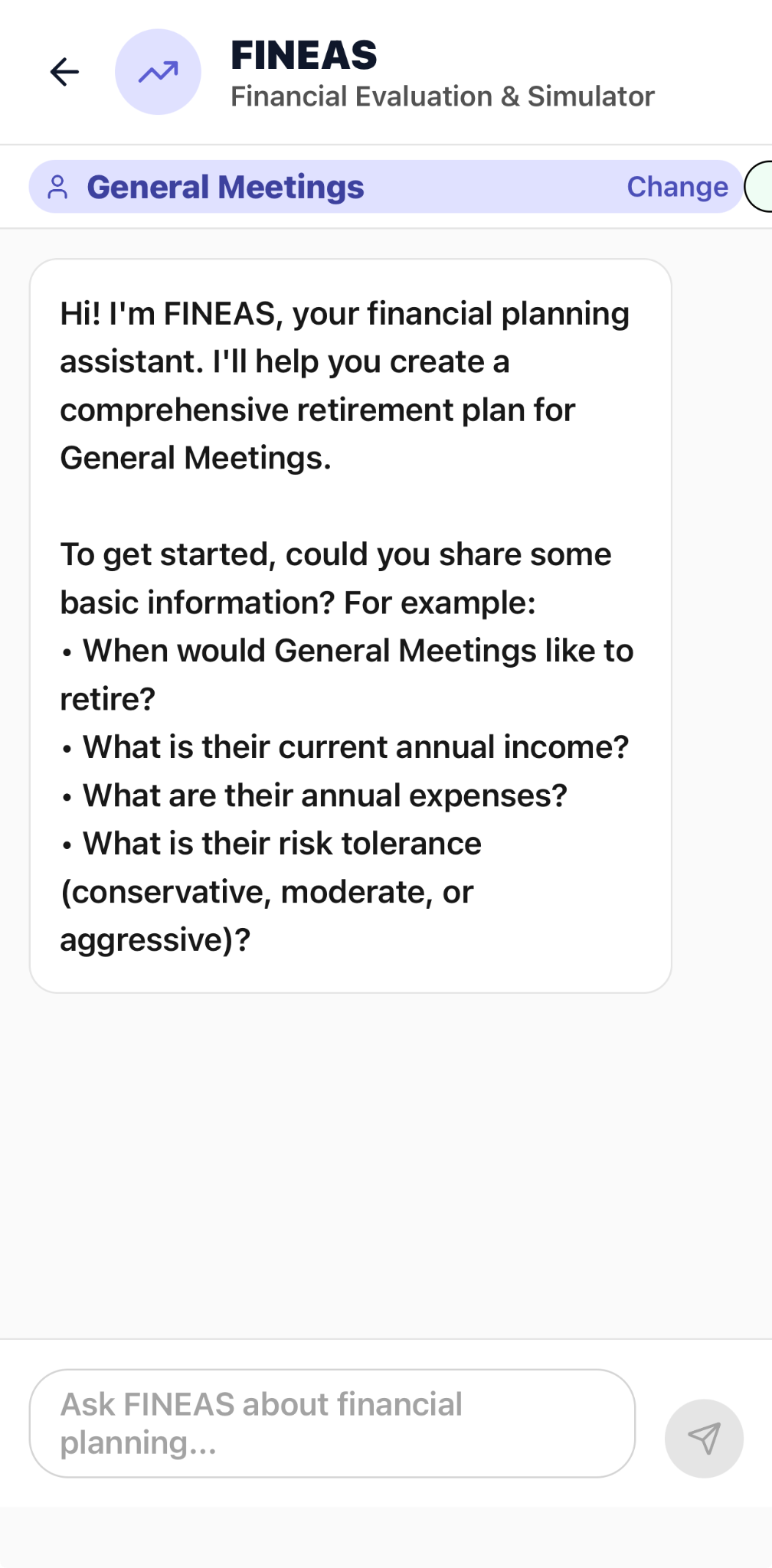
CaptureAdvisors FINEAS planning conversation requesting retirement, income, expenses, and risk-tolerance inputs
Begin a planning conversation for a synthetic demo client by supplying the requested scenario inputs.
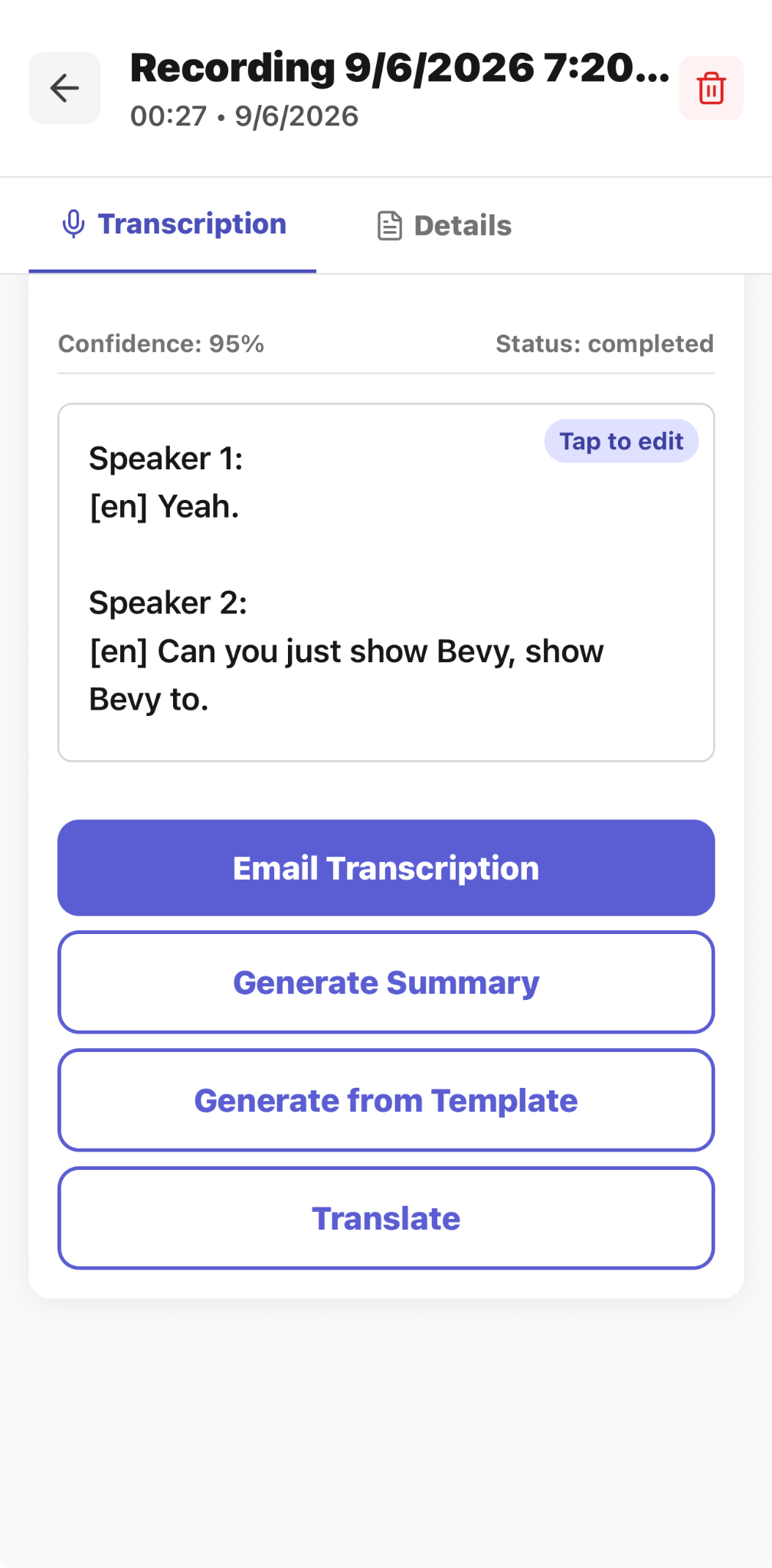
CaptureAdvisors completed transcription with email, summary, template, and translation actions
Email the transcription or use the completed recording to generate a summary, apply a template, or translate the text.
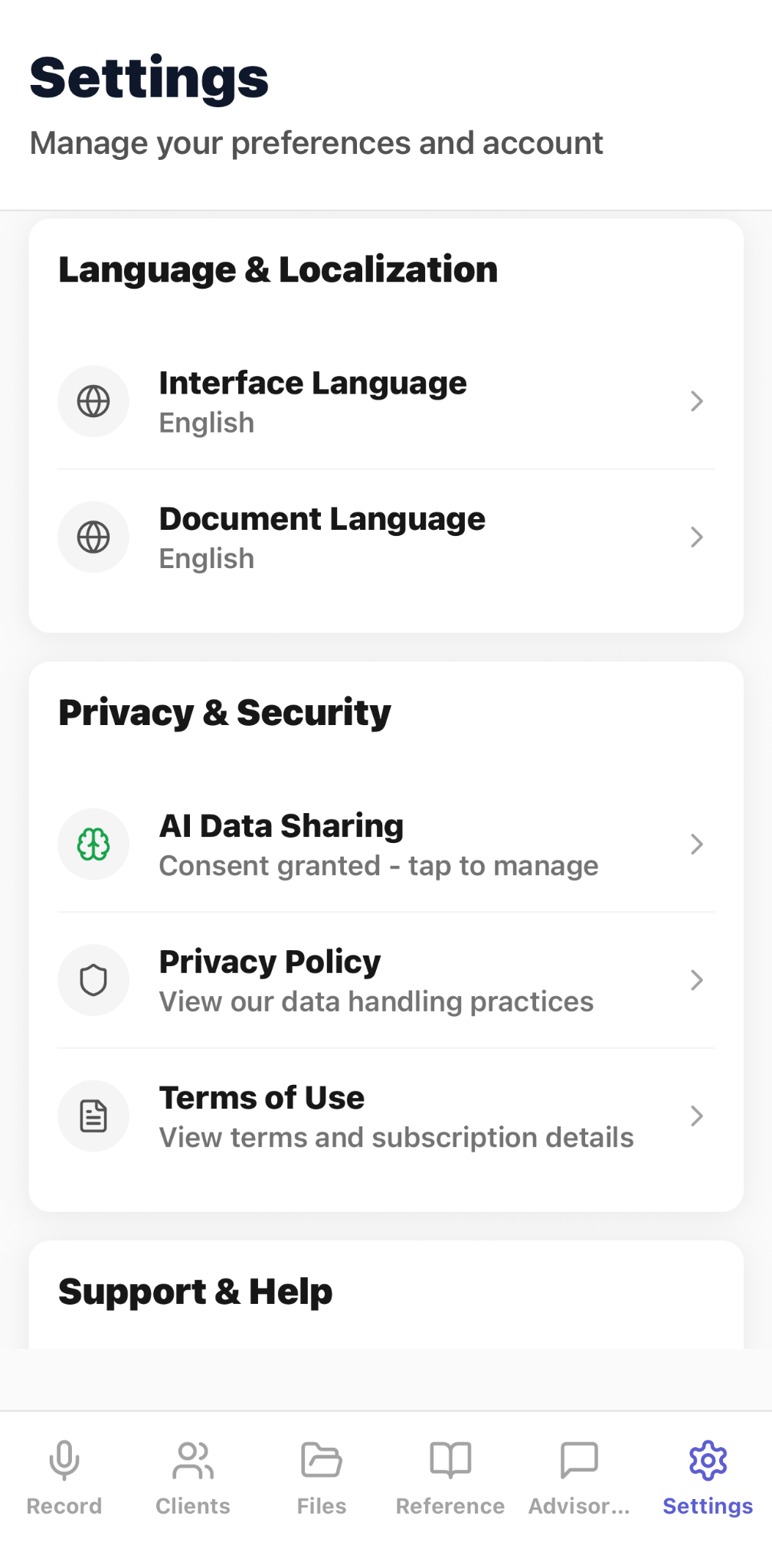
CaptureAdvisors Settings screen with language, AI data-sharing, privacy policy, and terms controls
Manage language preferences, AI data-sharing consent, privacy information, and terms from Settings.

Capture client meetings

Bring meeting information into a structured advisory documentation workflow.

Create structured notes

Turn the meeting into organized notes, action items, and follow-up checklists.

Prepare recap letters

Create recap-letter drafts for review and follow-up.

Support scenario planning

Use FINEAS for scenario-ready planning support while keeping final decisions with the advisor.

Workflow

Capture

Record the client meeting and relevant notes.

Structure

Prepare notes, action items, recap letters, and follow-up checklists.

Review

Verify the output and complete the firm's required documentation process.

Common use cases

  • meeting notes
  • recap letters
  • action items
  • follow-up checklists
  • scenario planning
  • client documentation

Limitations and validation requirements

  • Financial advisory use is not financial advice. Users are responsible for reviewing, verifying, and approving outputs.

Frequently asked questions

What is CaptureAdvisors designed for?

CaptureAdvisors is designed for financial-advisory meeting documentation and follow-up workflows.

What can it create from a meeting?

Outputs include structured notes, action items, recap letters, and follow-up checklists.

What does FINEAS support?

FINEAS provides workflow-specific assistance, including scenario-ready planning support.

Where can I download CaptureAdvisors?

CaptureAdvisors is available through the Apple App Store and Google Play links on this page.

Related pages

Book a workflow review