AXIS Clinical Documentation Platform Preview

See the current AXIS mobile workflow for encounter capture, structured documentation, quality review, patient context, AI assistance, and connection settings.

AXIS clinical documentation preview

AXIS is the coming-soon DataCaptureLabs clinical documentation workflow platform shown in the supplied product screens. The preview brings capture, note generation, quality review, workflow context, assistance, and configurable connection settings into one mobile experience.

Availability

AXIS is presented by DataCaptureLabs as coming soon. Request early access or book an AXIS preview; no public store listing is shown on this site.

The screenshots were supplied by DataCaptureLabs and use synthetic demo accounts and people. They show a product preview and do not establish regulatory approval, clinical accuracy, or an active external-system connection.

See the AXIS product preview

These current preview screens show the AXIS capture flow, note formats, quality status, records, synthetic patient context, scheduling, AXIS Agent, QA rules, language preferences, and integration settings.

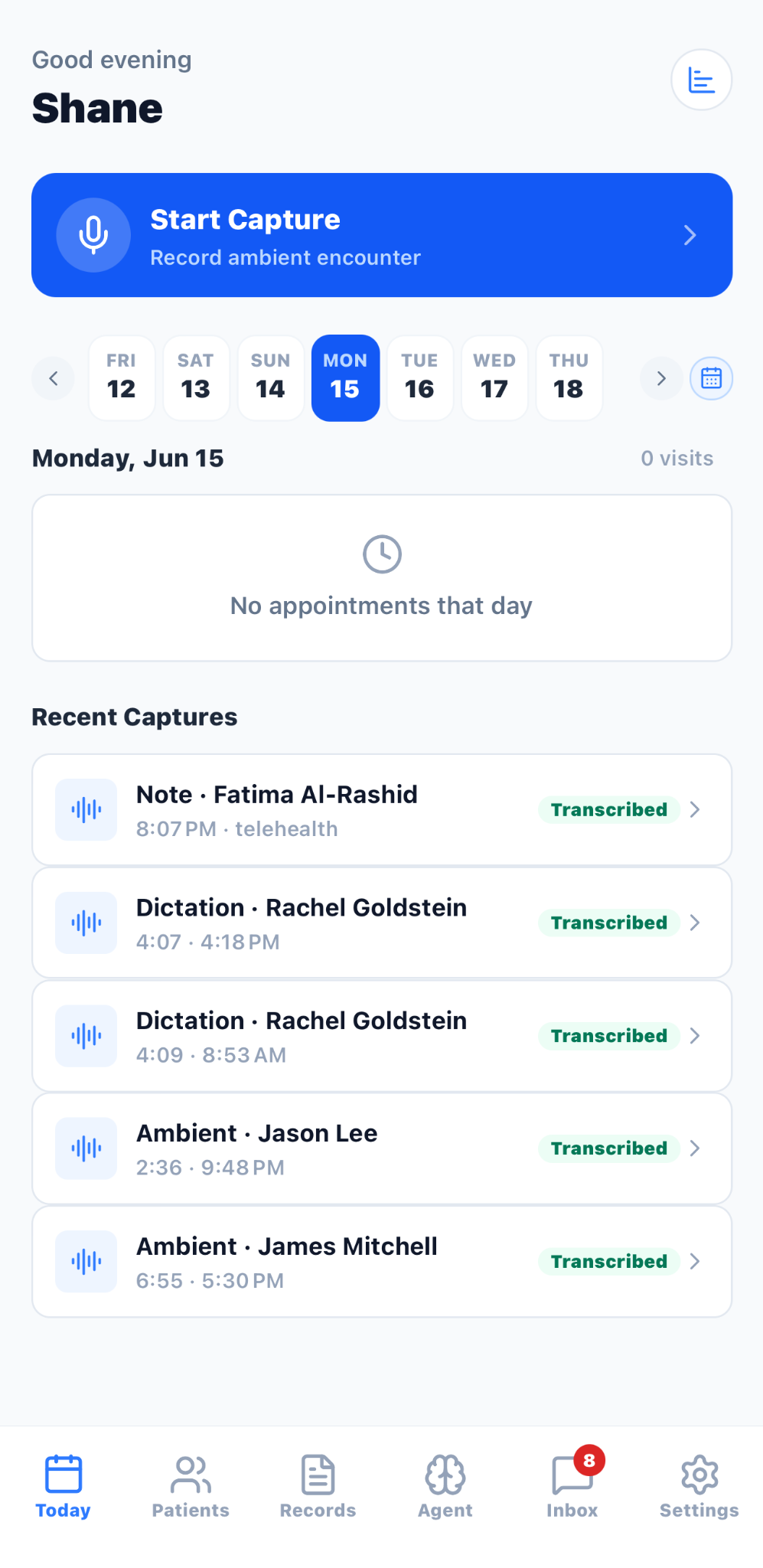
AXIS Today dashboard with Start Capture, schedule, recent captures, and workflow navigation
Start a capture from the Today dashboard and review scheduled work and recent synthetic demo records.
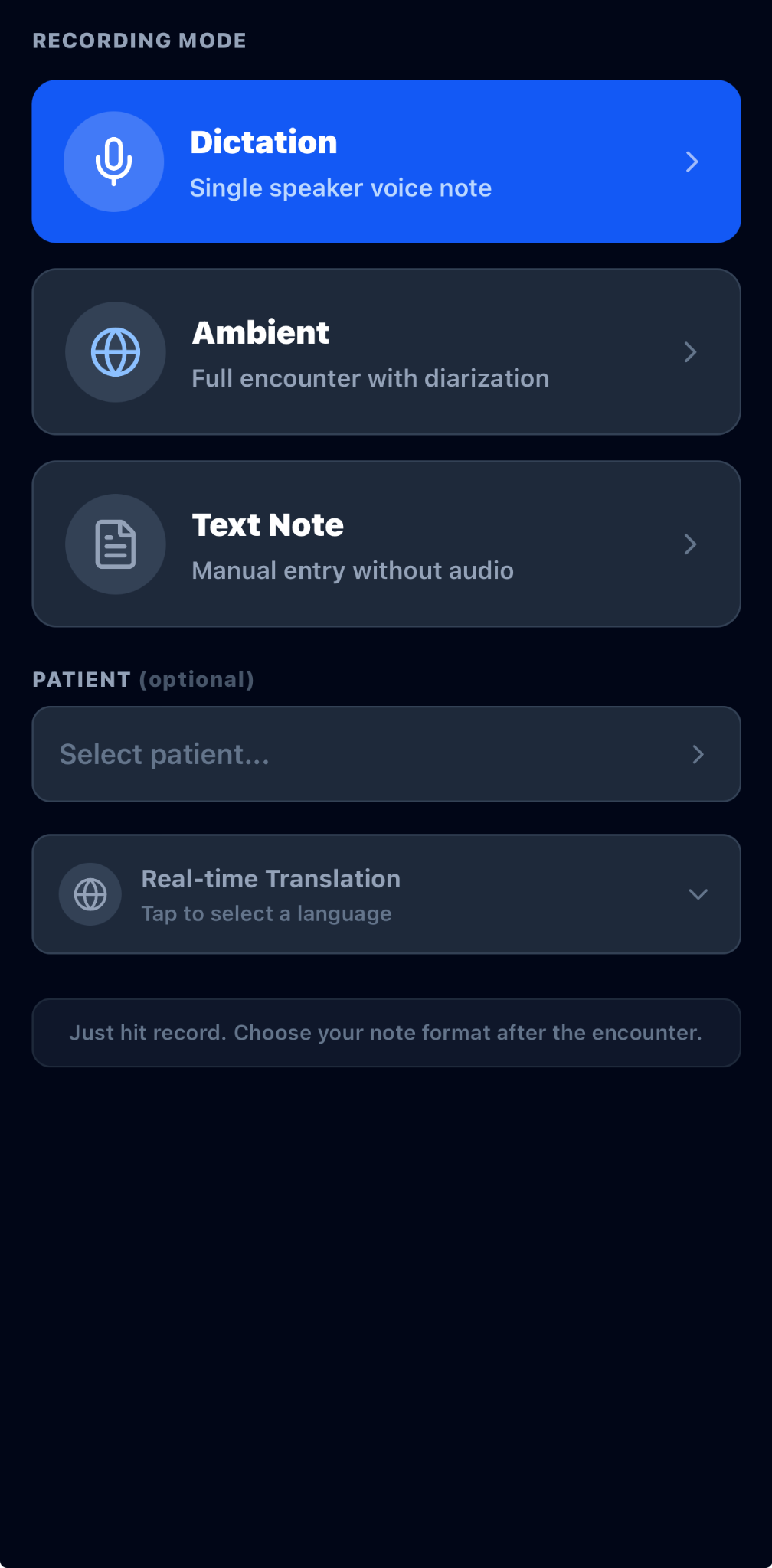
AXIS recording mode screen with Dictation, Ambient, Text Note, patient selection, and real-time translation
Choose dictation, ambient encounter capture, or a text note, with optional patient context and real-time translation.
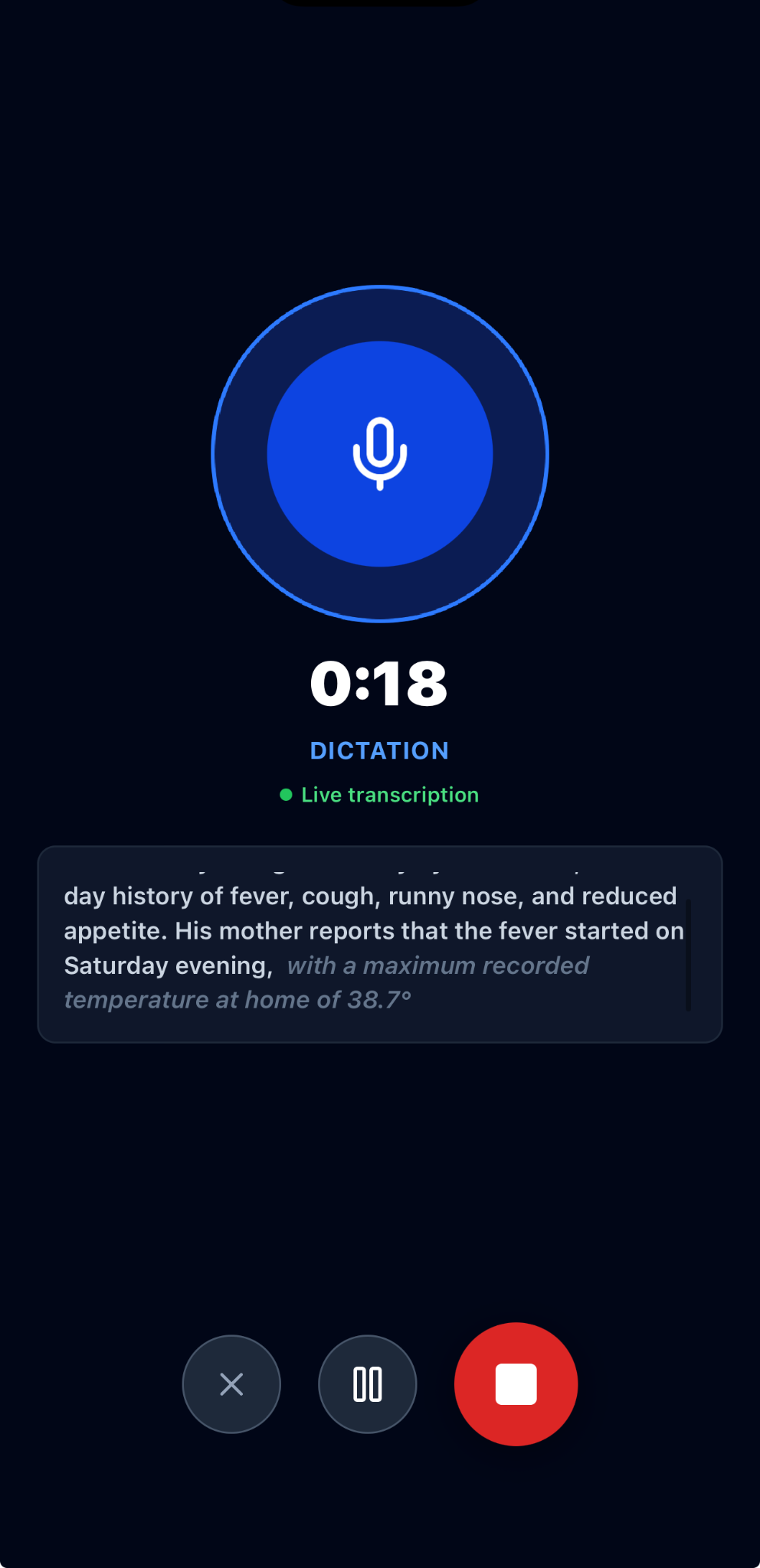
AXIS active dictation screen showing timer, live transcription, pause, and stop controls
Monitor live dictation transcription with elapsed time and pause or stop controls.
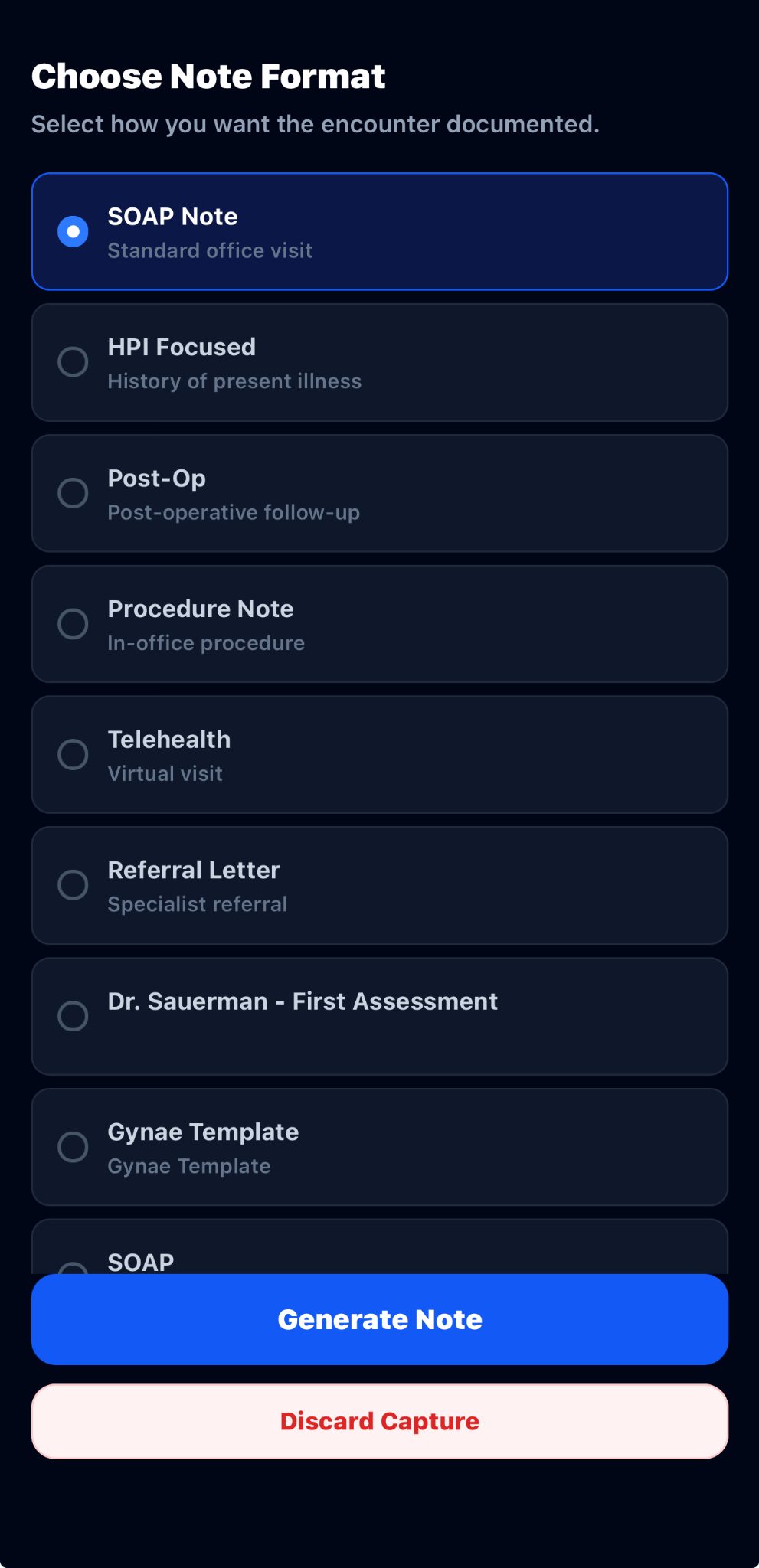
AXIS Choose Note Format screen listing SOAP, HPI, post-operative, procedure, telehealth, referral, and specialty templates
Select a structured note format after capture, including general and specialty-specific templates shown in the preview.
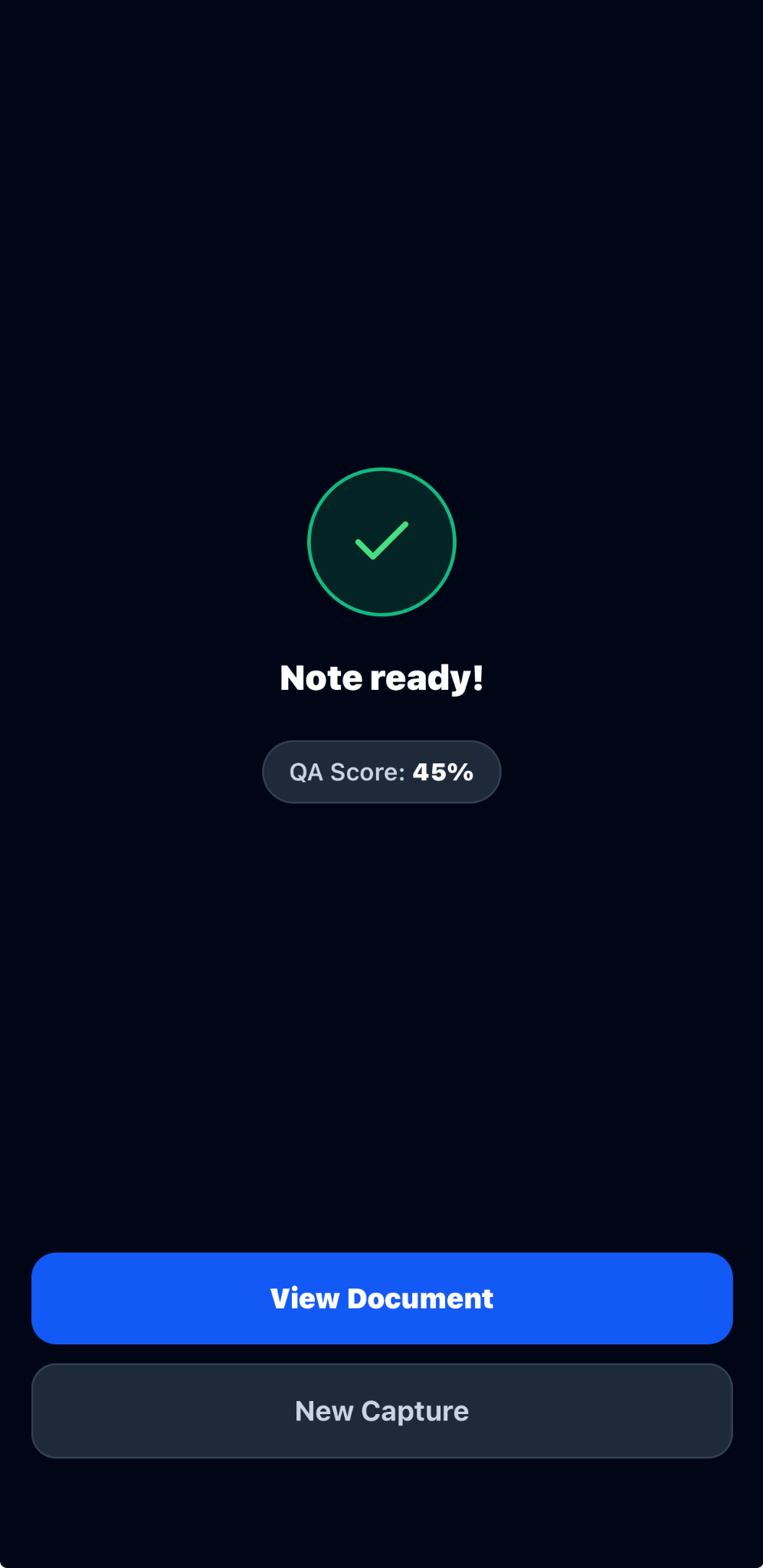
AXIS note-ready screen with quality assurance score and View Document action
Confirm note-generation status and open the document for review.
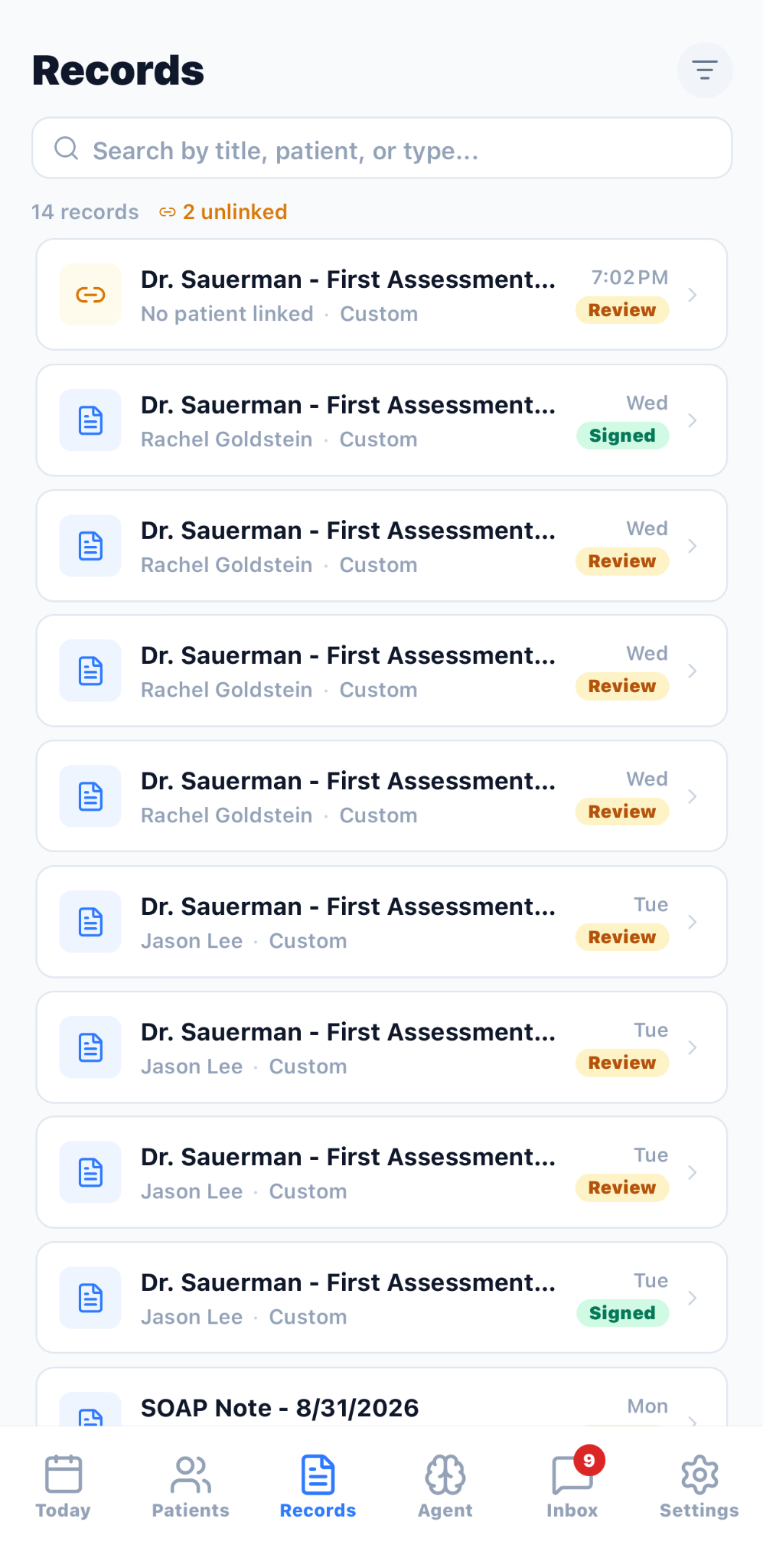
AXIS Records screen with search, document types, and pending review, signed, and review statuses
Search synthetic demo records and see document type, date, patient, and review status in one list.
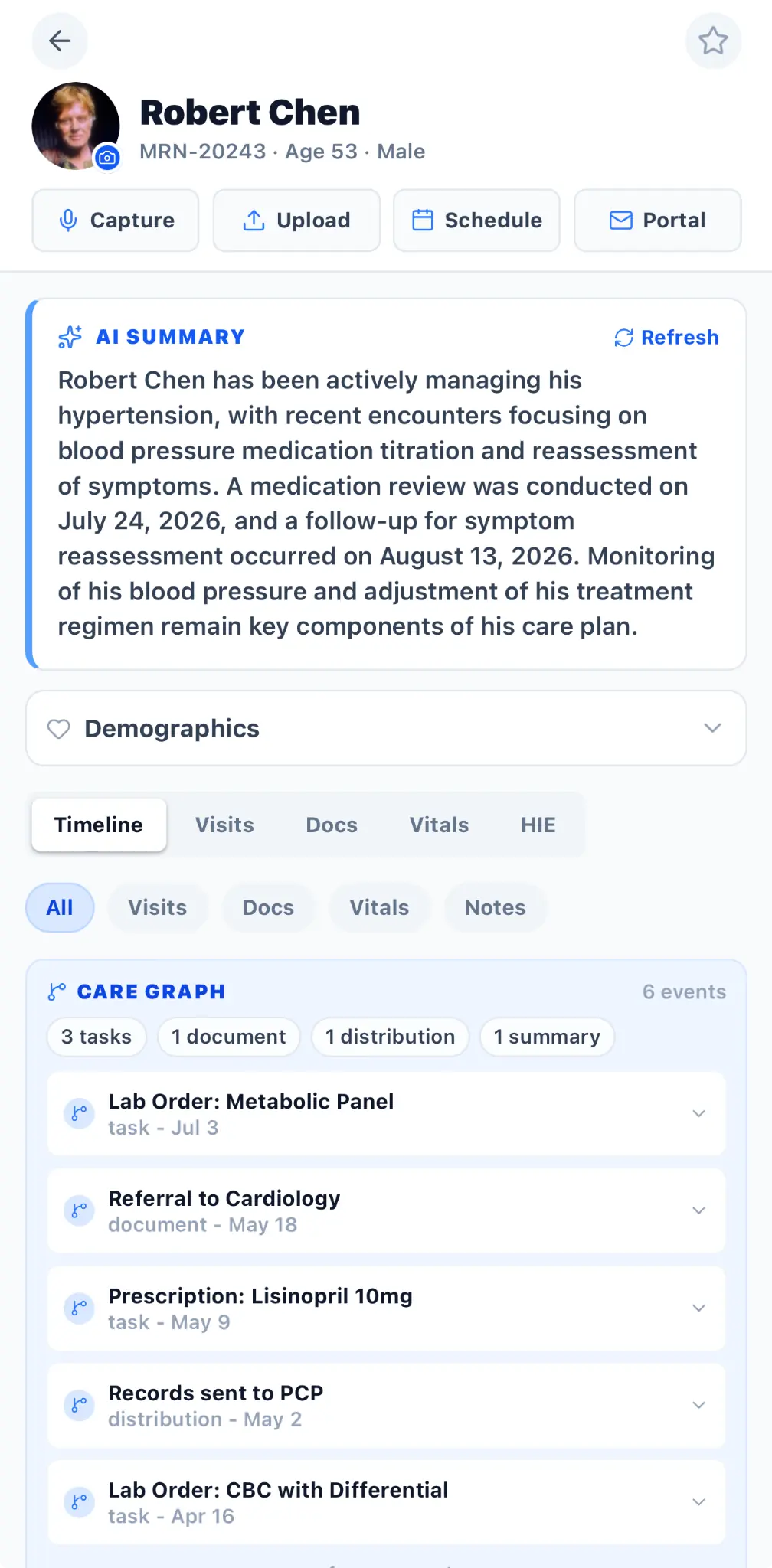
AXIS synthetic patient record with AI summary, timeline filters, and care graph
Review a synthetic demo patient's summary, timeline, tasks, documents, distributions, and care-graph entries.
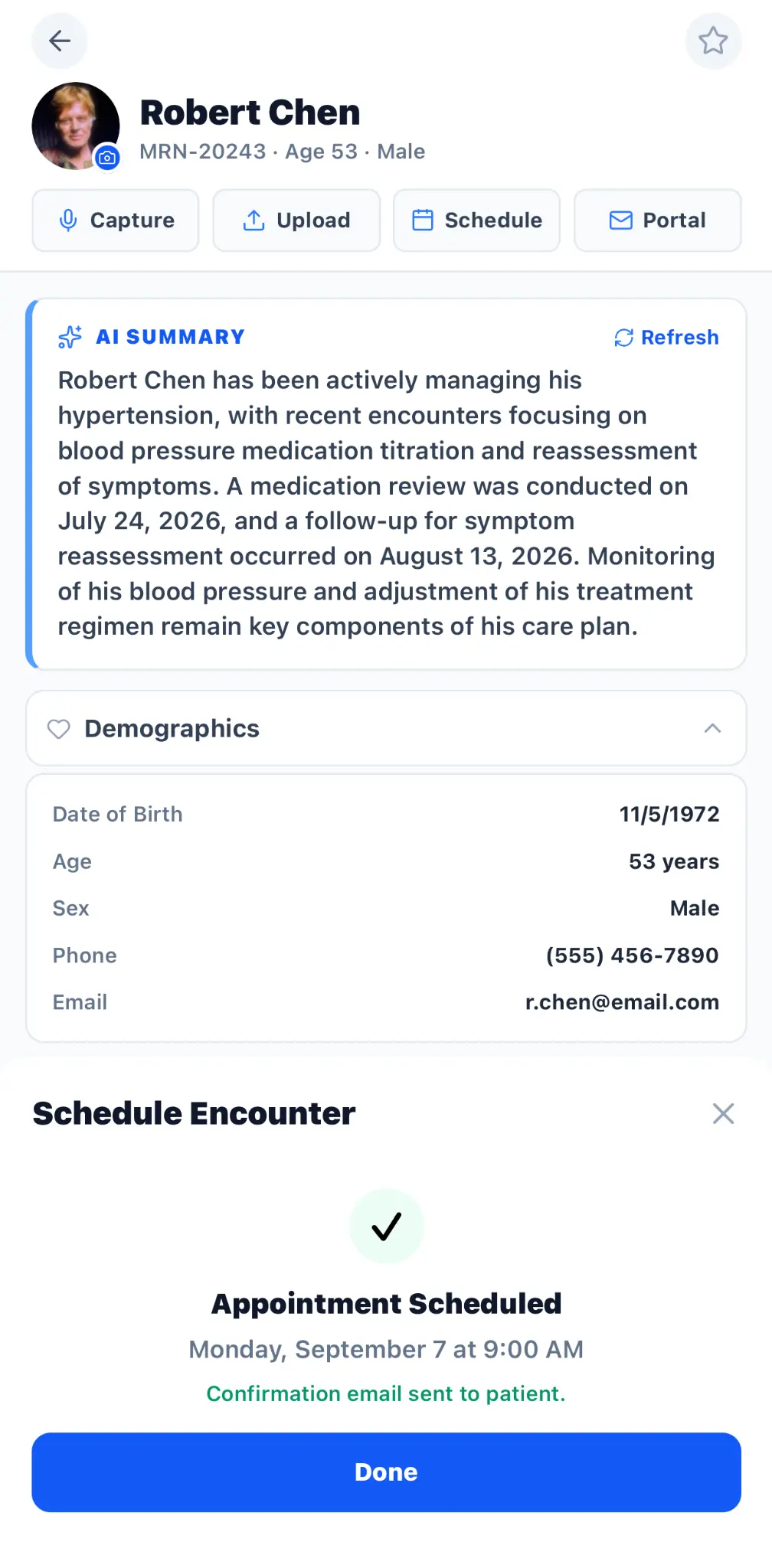
AXIS synthetic patient scheduling confirmation for a telehealth encounter
Schedule an encounter for a synthetic demo patient and confirm the appointment.
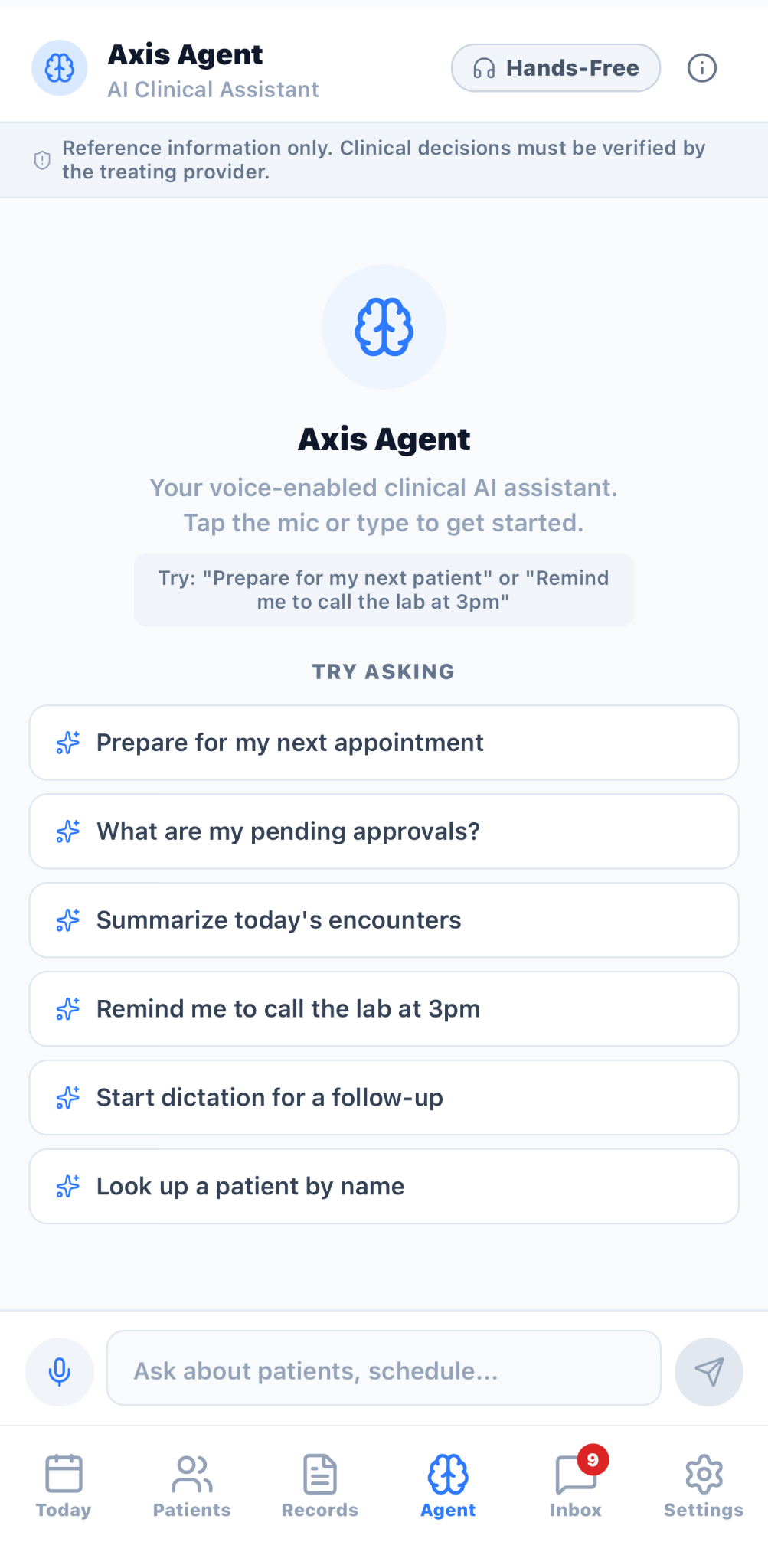
AXIS Agent screen with voice and typed prompts for clinical workflow assistance
Use voice or typed prompts in AXIS Agent; the interface states that clinical decisions must be verified by the treating provider.
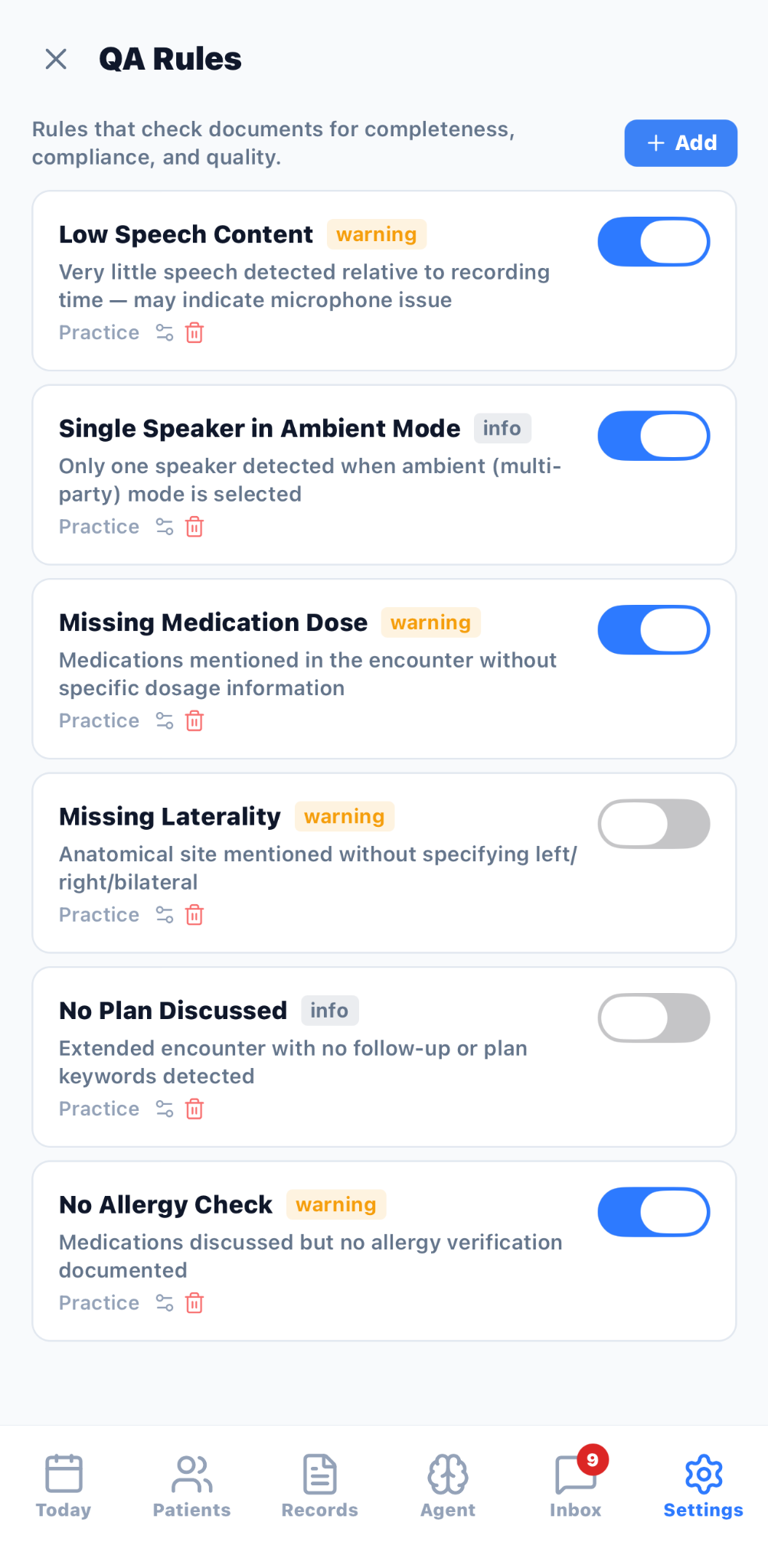
AXIS QA Rules settings with configurable documentation checks and severity labels
Configure document quality checks for missing or inconsistent details, with practice-level controls.
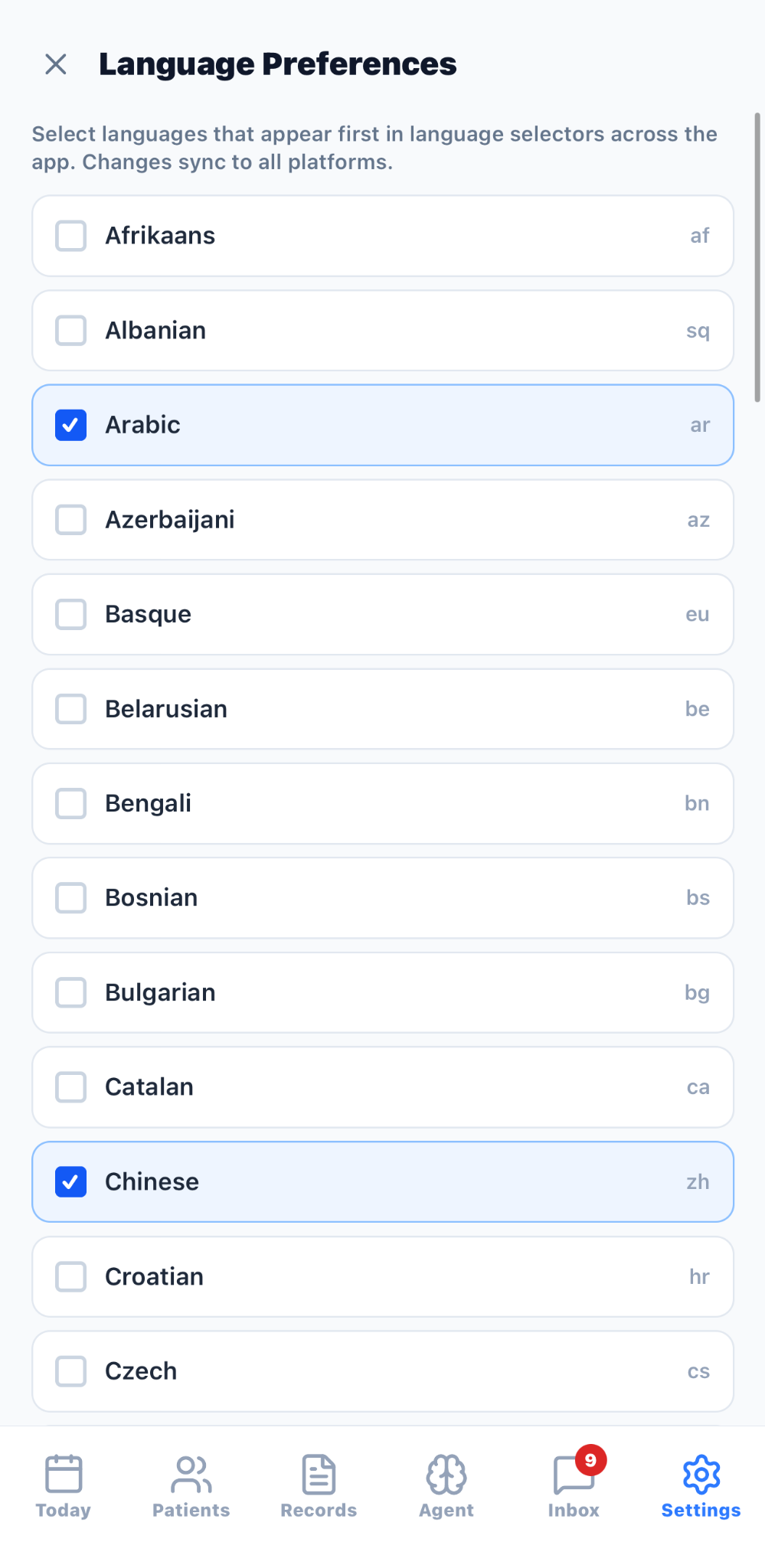
AXIS Language Preferences screen with selectable interface languages
Choose preferred languages for AXIS language selectors; the preview shows a multilingual settings list.
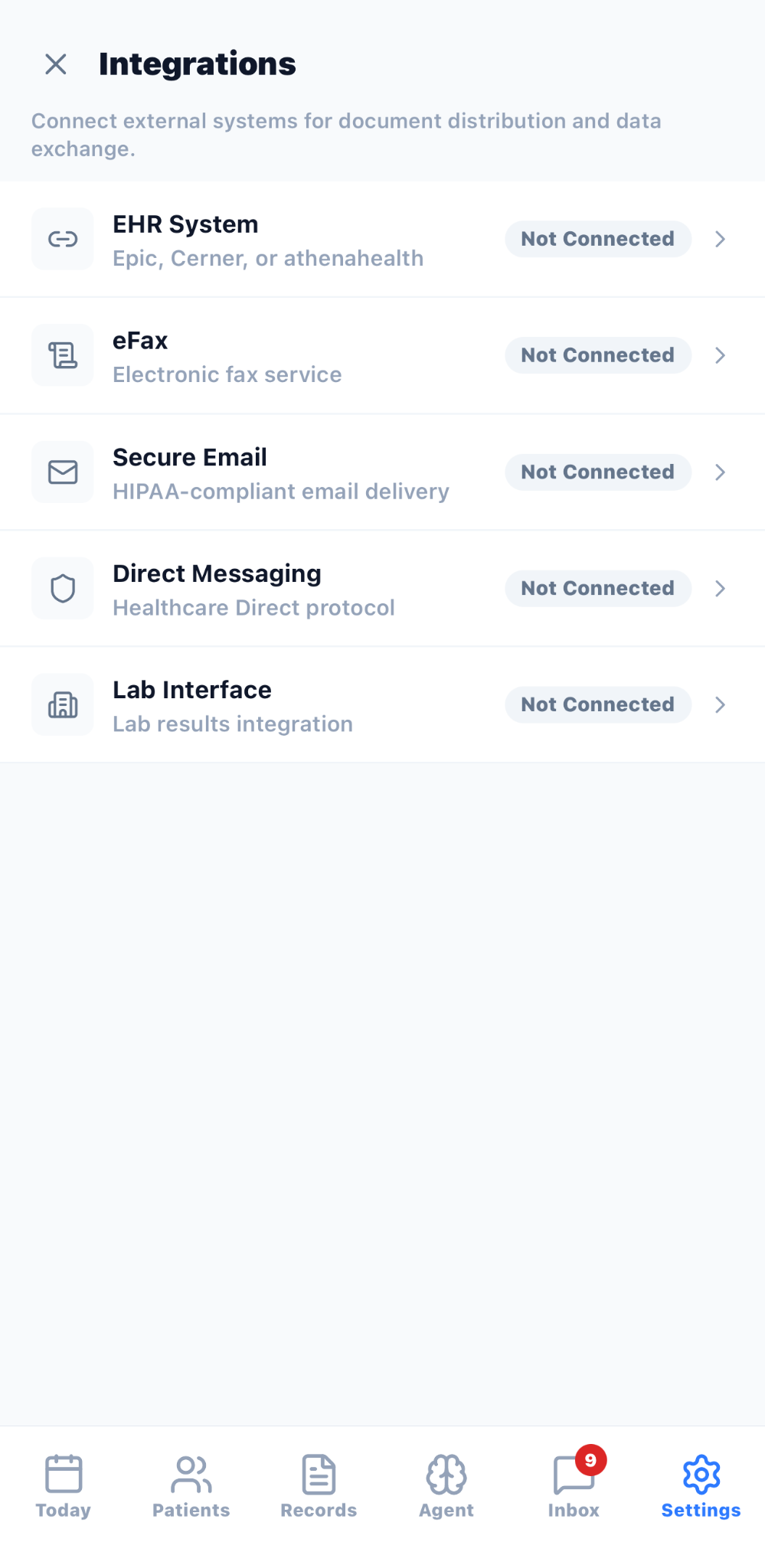
AXIS Integrations settings listing EHR, eFax, secure email, direct messaging, and lab interfaces as not connected
Review available connection settings; every external system shown in this demo is marked Not Connected.

Capture an encounter

Choose dictation, ambient encounter capture, or a text note, with optional patient context and real-time transcription or translation controls shown in the preview.

Generate and quality-check documentation

Select a structured note format, monitor generation status, review quality indicators, and open the generated document for clinician review.

Bring workflow context together

Review synthetic patient summaries, timelines, tasks, documents, distributions, care-graph entries, and scheduled encounters from the mobile workflow.

Configure assistance and connections

Use AXIS Agent, manage QA rules and language preferences, and review external-system connection settings. Connection availability depends on configuration and implementation.

Workflow

Capture

Start with dictation, an ambient encounter, or a text note.

Structure and check

Choose a note format, generate the document, and review quality indicators.

Review in context

Review the output alongside the relevant synthetic demo record, timeline, tasks, and scheduling workflow.

Common use cases

  • ambient encounter documentation
  • clinical dictation
  • structured note generation
  • documentation quality checks
  • patient-context review
  • encounter scheduling
  • multilingual workflow preferences
  • integration configuration

Limitations and validation requirements

  • AXIS is presented as coming soon; the screenshots show a product preview rather than public store availability.
  • Reference information and generated documentation require review and verification by the treating provider or other authorized reviewer.
  • External systems shown in the integration settings are marked Not Connected in the supplied demo and should not be treated as active integrations.

Frequently asked questions

What is AXIS?

AXIS is the coming-soon DataCaptureLabs clinical documentation workflow platform preview shown on this page.

Is AXIS publicly available?

The site currently presents AXIS as coming soon and provides a request-early-access path rather than a public store listing.

Are the people and records in these screenshots real?

No. DataCaptureLabs confirmed that the screenshots use synthetic demo accounts and people.

Do the screenshots confirm active EHR or other external integrations?

No. The supplied integration-settings screen marks the listed external systems as Not Connected.

Does AXIS replace clinician review?

No. The preview interface states that reference information and clinical decisions must be verified by the treating provider.

Related pages

Book a workflow review